Salesforce Flow Best Practices Before Automation Breaks
Flow runs fine for months, then fails at the worst possible moment — usually right before a reporting deadline. Following Salesforce Flow best practices means catching the handful of patterns that quietly turn a working automation into a liability, well before that automation is the thing standing between your team and a Monday morning report. Most flows don’t fail because Salesforce changed something. They fail because small shortcuts from setup day were never cleaned up. That’s the part admins tend to miss. A flow that ran cleanly in testing keeps running cleanly for weeks, sometimes months, because the exact conditions that break it haven’t happened yet. Then record volume spikes, or someone adds a second automation on the same object, and the whole thing falls over in front of the one person checking the pipeline report an hour before a leadership meeting. SALESFORCE FLOW / RISK PATH DML in a loop No fault path Hardcoded Id Duplicate trigger No test coverage Audited & stable Quarterly audit checklist Flow Trigger Explorer reviewed for every multi-automation object Every flow has a fault path connected, none left as a dead end Error emails route to an active admin, not a former employee Five risk points on the path from a working flow to an audited, stable one. Five signs a Flow is overdue for a look 1DML or SOQL inside a loopUpdating or querying records one at a time inside a loop is the fastest way to hit governor limits once record volume grows past what it looked like in a sandbox. 2Missing fault pathsA flow with no error handling doesn’t fail quietly. It fails loudly, usually by leaving a record half updated with no trace of what went wrong. 3Hardcoded record IDsAn ID copied in during testing works fine until the flow moves to a new org or the referenced record gets deleted, then it breaks with no obvious cause. 4Duplicate triggers on the same objectTwo flows, or a flow and an Apex trigger, both firing on the same object update can create conflicting logic, race conditions, or updates that quietly overwrite each other. 5Zero test coverage on related ApexAny Apex tied to the automation with no meaningful test coverage is a change nobody can safely make without breaking something else first. How to actually find these before they find you Flow Trigger Explorer, inside Setup, shows every flow and trigger firing on a given object in one place, including the order they run in. That order is where duplicate or conflicting automation usually hides, since two flows updating the same field rarely announce themselves until you see them listed side by side. Debug logs fill in the rest. Turning on debug logs for a user who regularly triggers the flow in question, then reading through what actually fired during a normal transaction, tends to surface loop-heavy DML and missing fault paths faster than reading the flow canvas alone. A flow can look fine on screen and still be doing something expensive every time it runs. A checklist worth running on a schedule Salesforce Flow audit checklistRun this on a schedule — quarterly is enough for most orgs Pull up Flow Trigger Explorer for every object with more than one active automation Confirm every flow has a fault path connected, not left as a dead end Search flow elements for hardcoded IDs left over from testing Check for DML or SOQL sitting inside a loop element Confirm Apex tied to automation has real test coverage, not just enough to pass deployment Make sure flow error emails route to an active admin, not someone who left the company last year None of this takes long to check. It takes almost no time at all to skip — which is exactly how an automation that ran fine for a year ends up failing the week a board report is due. If a full pass through your org sounds like more time than your week has, send it our way through the contact form. A Salesforce Health Check covers Flow and automation health as one of six audit areas, alongside security, data quality, and performance, so you get the full picture instead of just the flows that happened to break first. Salesforce FlowSalesforce AdminAutomationSalesforce Health CheckCRM Best Practices Share: LinkedIn Twitter / X Copy link In this article 015 signs a flow needs a look 02How to find problems first 03Audit checklist 5 flow risk patterns DML or SOQL inside a loop Missing fault paths Hardcoded record IDs Duplicate triggers on same object Zero Apex test coverage Where to look in Setup 🔍Flow Trigger Explorer 🪲Debug logs — live user 📋6-item audit checklist About the Author DK Dilyara KolesnikovaSalesforce Developer & Technical Writer at TrueSolv
Salesforce Report Step-Up MFA
Starting July 1, your Salesforce users will be prompted to verify their identity every time they open a report. Not when they export it. Every time they open it. Every 120 minutes by default. If nobody on your team knew this was coming, Monday morning answered that question with a support queue. Here is what it is, why Salesforce introduced it, and what admins need to configure — including the setting most documentation skips. ⚡ SalesforceReports → Q2 Customer Pipeline Report content loading… 🔐 Verify your identity to view this report Salesforce requires identity re-verification to access reports. This prompt appears every 120 minutes by default. 📱Salesforce AuthenticatorTap the notification in the app 🔑Security KeyInsert and touch your key Verify with Salesforce Authenticator No enrolled method? You’ll receive a one-time code by email or SMS instead. This prompt is expected — not a security incident. All Salesforce users now see this every 120 min when accessing reports. Interval is configurable by your admin. What step-up MFA on reports actually means Step-up MFA is a secondary verification that fires when a user reaches a high-risk surface, even if they already authenticated with MFA at login. In this case, the trigger is any Salesforce report — opening it, not exporting it. The prompt appears before the report loads. The default re-verification window is 120 minutes. After a user verifies, they can open reports freely for 120 minutes before the prompt returns. This is configurable — which is the part most admin documentation understates. For users already enrolled in an MFA method, the step takes 15 to 30 seconds. For users with no enrolled method, the system falls back to email or SMS one-time passcode. If that also fails, the user cannot open the report at all. This applies to all internal orgs platform-wide, live since July 1. Why Salesforce introduced it Reports are the highest-risk data surface in most Salesforce orgs. A user with View All Data can navigate to the Reports tab, open a standard contact report, run it unfiltered, and export 50,000 records to a spreadsheet in under two minutes. The exported file leaves Salesforce with no record that it happened unless a Transaction Security Policy was in place. The step-up MFA requirement is specifically about the gap between “authenticated at login” and “accessing a surface that enables bulk data extraction.” Login MFA proves identity when a session starts. Step-up MFA proves continued identity at the moment of high-risk data access. What admins need to do now — four steps Report Step-Up MFA — Admin ActionsLive July 1 1Communicate to all report users before they discover it themselvesWithout context, users interpret the verification prompt as a security incident, phishing attempt, or system error. A one-paragraph internal message — what the prompt is, why it appears, what to do if it fails, who to contact — prevents a wave of support tickets and builds trust rather than confusion. 2Verify all active users have an enrolled MFA methodSetup → Identity → Identity Verification. Add MFA enrollment status column to your user list view. Users without any enrolled method fall back to email or SMS OTP. If that also fails — no mobile number registered, slow email delivery — they cannot open reports. Reach out to unenrolled users directly. 3Configure the re-verification interval for your team’s workflowThe 120-minute default is adjustable and most documentation skips this. Find it at: Setup → Identity → Session Settings → High-Assurance Session Timeout. The setting is org-wide. Consider shorter (60 min) for regulated environments; consider longer (240 min) for teams running reports continuously throughout the day. 4Create a user FAQ covering the four questions that will recurAnswer proactively: what is this prompt, how to enroll an MFA method, what to do if verification fails, and whether the prompt means the account has been hacked. A Chatter post or internal knowledge article takes an hour and replaces dozens of individual support conversations. Configuring the re-verification interval — where to find it Setup → Identity → Session Settings → High-Assurance Session Timeout 60 minRegulated environments — HIPAA, SOC 2, or internal policies requiring shorter session timeouts. More frequent prompts, stronger security posture. Appropriate if your audit requirements specify session limits. 120 minDefault — Salesforce’s chosen balance between security and usability. Suitable for most orgs. Users in standard report workflows will see the prompt once or twice per working day. 240 minHigh-frequency reporting teams — Analytics, operations, and management teams running reports throughout the day who find 120-minute prompts disruptive. One prompt at the start of the work session, one at the end. The setting is org-wide. No per-profile or per-permission-set configuration is available in the current release. One interval applies to all internal users. What this does not affect External users and Experience Cloud community users are not covered by the report step-up requirement in the current enforcement scope. The change applies to internal users accessing Salesforce through the standard internal login path. Reports embedded in Lightning record page dashboards operate differently from reports accessed directly through the Reports tab. The step-up prompt fires when a user navigates directly to a report — not currently when a dashboard component rendering report data is loaded on a record page. This distinction matters for orgs where report data is primarily surfaced through embedded dashboard components rather than the Reports tab itself. Step-up MFA on reports has been live since July 1. If your users have already encountered it, the communication gap already cost you some support tickets. The remaining configuration work — interval adjustment and the internal FAQ — takes less than a day and prevents the same tickets from recurring every time a new user hits the prompt for the first time. Salesforce AdminSalesforce SecurityMFASalesforce Reports Share: LinkedIn Twitter / X Copy link In this article 01What step-up MFA means 02Why Salesforce introduced it 034 admin actions required 04What this does not affect ⚡ Four admin actions Communicate to all report users first Check MFA enrollment for every user
Salesforce Flow Orchestration is Free in Summer 26
Flow Orchestration used to cost extra. Now it does not. Starting with Summer ’26, Flow Orchestration runs are included in Enterprise, Performance, Unlimited, and Developer editions without usage-based limits. If you ruled it out before because of the pricing, that calculation is gone. Here is what Flow Orchestration actually does, and why it is worth a fresh look. What Flow Orchestration actually is A regular Flow handles a trigger and a sequence of automated steps. It runs, completes, and is done — typically in seconds, with no pause for a human to weigh in partway through. Flow Orchestration is built for a different category of process: multi-step, multi-user business processes that require coordination across people, systems, and time. The work needs to pause, wait for a specific person to make a decision, branch based on that decision, and continue — all in a monitored, auditable way, potentially over hours, days, or weeks. The distinction matters because many processes that orgs currently handle through a combination of email, manual task assignment, and someone remembering to follow up are exactly the kind of process Orchestration is built for. The reason most orgs have not built these in Salesforce is that Orchestration previously carried a usage-based cost that made it hard to justify for internal process automation rather than customer-facing workflows. Characteristic Regular Flow Flow Orchestration Duration Runs and completes in seconds. No pause for human input mid-process. Can span hours, days, or weeks — pauses at human steps and resumes when action is taken. Human involvement Limited to triggering the flow or responding to a single approval step bolted on separately. Built-in stages where specific people are assigned tasks, make decisions, and the process branches based on their input. Visibility No persistent status view. Once running, you cannot easily see “where” the flow currently is. Defined stage model — anyone can see which stage a process instance is currently in and who owns it. Multi-department coordination Difficult — typically requires chaining multiple flows and manual handoffs between departments. Native — parallel and sequential stages across different teams with a single coordinated process instance. Best for Record updates, notifications, single-step automations, data validation, immediate actions triggered by a record change. Onboarding processes, approval chains, multi-department workflows — anything where “who does this next and when” is the core challenge. Cost (Summer ’26) Included in all editions, as always. Now free Included in Enterprise, Performance, Unlimited, and Developer editions — no usage-based limits. A simple orchestration, structurally The shape of an orchestration is consistent regardless of the specific process: a system step does something automatically, a human step pauses and waits for a person to act, the orchestration branches based on what that person decided, and the process continues — potentially with more human steps, more branches, and a final system step that records the outcome. A Simple Flow Orchestration — Four Stages Stage 1 System action e.g. create record AUTOMATED Stage 2 Human approval Manager reviews and decides PAUSES & WAITS Stage 3 System action e.g. update fields AUTOMATED Stage 4 Branch → Approved path → Rejected path OUTCOME RECORDED Status, owner, and stage are visible to anyone checking on the process — not just whoever is currently assigned. What makes this different from a Flow with an Approval Process attached is the structure and visibility. Orchestration gives you a defined stage model — each stage has a clear owner, a clear set of possible outcomes, and a status that is visible to anyone checking on the process, not just the person whose turn it currently is. For processes spanning multiple departments, that visibility is often the missing piece. Three workflows worth building now that it is free New employee onboarding across IT, HR, and the hiring manager Onboarding touches multiple departments with sequential and parallel dependencies: IT needs to provision accounts, HR needs to complete paperwork, the hiring manager needs to prepare the first-week schedule, and some of these steps depend on others completing first. An orchestration can sequence IT provisioning after HR confirms the start date, run HR paperwork and manager prep in parallel, and surface a single status view to whoever is coordinating the new hire’s first day. The alternative — the current state at most orgs — is a checklist in a shared document and a series of Slack messages asking whether each step is done yet. Orchestration replaces the asking with visibility. Contract approval chain with parallel legal and finance review A contract above a certain value needs review from legal and finance before it reaches an executive for final sign-off. Legal and finance review can happen in parallel — neither depends on the other — but the executive sign-off step depends on both being complete. Orchestration models this directly: a parallel stage for legal and finance, a convergence point that waits for both to complete, then a sequential executive approval stage. The audit trail shows who reviewed what and when, without anyone needing to track it manually. Deal desk workflow for non-standard pricing approvals Non-standard pricing requests — discounts above a threshold, custom payment terms, non-standard contract clauses — typically need sign-off from sales leadership, finance, and sometimes RevOps, in an order that depends on the specific request. An orchestration can route the request to the right combination of approvers based on the deal characteristics, track where it currently sits, and notify the rep when a decision is made. The business value here is speed: deal desk requests that currently take days because they sit in someone’s inbox move faster when the orchestration actively routes and tracks them, and the rep has visibility into where the holdup is rather than just waiting. 3 Workflows Worth Building Now That Orchestration Is FreeProcesses most orgs currently run on email, shared docs, and hoping someone follows up 👋New employee onboardingIT provisioning, HR paperwork, and hiring manager prep — sequenced and parallelised with a single status view for whoever is coordinating the new hire’s first day.Stages: HR confirms start date
Salesforce Summer 26 Admin Checklist

The Summer ’26 production upgrade is landing on June 5 and June 12 for most Salesforce orgs. Sandboxes have been on preview since May 8, which means there is no excuse for surprises on production upgrade weekend. Here is the pre-upgrade checklist every admin needs before their org flips. Summer ’26 Production Upgrade Weekends 🚨 June 5 — TomorrowMain production waveMost orgs on NA, EU, and AP instances. If your org is on this wave, the checklist below needs to be complete today — not this weekend. 📅 June 12 — 8 daysFinal production waveRemaining instances. You have until June 11 EOD to complete all mandatory items. Use the time — do not save this checklist for June 10. The mandatory items — these break things if skipped 1. SAML migration New SAML defaults are enforced in Summer ’26. If your org uses SSO via SAML — whether Salesforce is the identity provider, the service provider, or both — you need to verify your Auth Provider configuration and test the full login flow in your Summer ’26 sandbox before production upgrade. A SAML configuration that worked in Spring ’26 may fail after the upgrade if the new defaults require updated settings. Additionally, Triple DES signing for SAML SSO stops working entirely in Summer ’26, as announced in Spring ’26. Any SAML configuration using Triple DES as the signing algorithm breaks on upgrade regardless of whether you took any other action. 2. Apex sharing and security defaults New Apex security behaviors are enforced. Custom Apex code that relies on specific sharing model assumptions from earlier releases needs review. If your org has custom Apex classes managing record-level access or security, test them against the Summer ’26 sandbox before your production upgrade date. 3. Standard Omni-Channel retirement Standard Omni-Channel was retired June 1. If your production org has not migrated to Enhanced Omni-Channel Routing, this is now urgent — not scheduled. Completing the migration before your production upgrade date is the priority. See the dedicated Omni-Channel migration article for the correct four-step sequence — channel migrations must happen before the routing switch is enabled. 4. Legacy PDF generation retirement A legacy PDF rendering behavior is retired in Summer ’26. Any process that generates PDFs from Salesforce — Quote PDFs, Visualforce-generated reports, any custom PDF output — should be tested in the Summer ’26 sandbox to confirm the output is correct before production upgrade. PDF rendering changes are difficult to detect until something generates incorrectly in front of a customer. Summer ’26 Pre-Production Upgrade ChecklistBefore June 5 or June 12 Mandatory — breaks things if skipped SAML auth provider configuration verifiedMandatoryNew SAML defaults enforced. Test full SSO login flow in Summer ’26 sandbox. Triple DES signing algorithm stops working entirely — update to SHA-256 if still using Triple DES.↳ Breaks: SSO login fails for all SAML-authenticated users after upgrade Custom Apex sharing code reviewedMandatoryNew Apex security defaults enforced. Custom Apex classes managing record-level access or sharing rules need testing in sandbox against the new defaults. Run Apex tests in the Summer ’26 sandbox before production upgrade.↳ Breaks: Record access violations or unexpected sharing behaviour in Apex-governed objects Enhanced Omni-Channel migration completeMandatory · UrgentStandard Omni-Channel retired June 1. Migrate service channels (Live Agent, SMS, Messenger) first, then enable Enhanced routing. Test agent login and work item routing in sandbox end-to-end.↳ Breaks: Agents cannot log in to Omni-Channel, work items stop routing entirely PDF generation processes tested in sandboxMandatoryLegacy PDF rendering behaviour retired. Any process generating PDFs from Salesforce — Quote PDFs, Visualforce reports, custom PDF output — must be tested in Summer ’26 sandbox.↳ Breaks: Incorrectly formatted or failed PDF generation for customer-facing documents Recommended — should be done; will not immediately break Agentforce agent configurations reviewedRecommendedSummer ’26 changes agent lifecycle defaults. If your org has agents in production, review the Agentforce Summer ’26 release notes and test agent initialisation, session handling, and error surfacing in sandbox. Evaluate Flow Orchestration for existing processesOptional upsideFlow Orchestration is now free in Enterprise, Performance, Unlimited, and Developer editions. Review multi-step approval processes or cross-object coordination workflows that could benefit from rebuilding in Orchestration. Exact production upgrade date confirmedRecommendedSetup → Company Information → Instance. Then trust.salesforce.com to find your exact upgrade weekend. Some instances upgraded May 15 — if yours was in that wave, your production org is already on Summer ’26. The items you should do but that will not break immediately 5. Flow Orchestration is now free Flow Orchestration is included in Enterprise, Performance, Unlimited, and Developer editions without usage limits in Summer ’26. If your org has been avoiding Flow Orchestration due to licensing cost, that barrier is gone. Evaluate whether any current multi-step approval processes or cross-object coordination workflows would benefit from rebuilding in Orchestration. 6. Review Agentforce configurations Summer ’26 changes agent lifecycle defaults for orgs running Agentforce in production. If your org has agents in production — even in early access or limited deployment — review the Summer ’26 Agentforce release notes and test agent behaviour in sandbox before production upgrade. 7. Confirm your exact upgrade date Do not assume June 5 or June 12. Your specific upgrade date depends on your Salesforce instance. Check: Setup → Company Information → Instance field. Then confirm your upgrade date at trust.salesforce.com. Some instances upgraded May 15. If your org is on one of those instances and you are reading this on June 4, your production org may already be on Summer ’26. Summer ’26 is the release where “I’ll check the sandbox later” becomes a problem. The June 5 wave is tomorrow. If your sandbox has been on preview since May 8 and you have not looked at it yet, today is the day. Salesforce Admin Summer ’26 Salesforce Release SAML Upgrade Checklist Share: LinkedIn Twitter / X Copy link In this article —Mandatory items 01SAML migration 02Apex security defaults 03Omni-Channel migration 04PDF generation —Recommended items 05Flow Orchestration free 06Agentforce review 07Confirm your date Upgrade dates May 15First wave — already liveCheck if
Salesforce Field Level Security Summer 26

Any Salesforce admin who has ever done a field-level security audit knows the process: open a profile, navigate to object settings, find the field, note the access, repeat for every other profile, then repeat for every permission set. It is tedious, error-prone, and nobody does it as often as they should. Summer ’26 adds a Field Access tab directly to Object Manager that shows the full picture in one place. What the Field Access tab shows At the bottom of each object in Object Manager, a new Field Access tab lists every field on the object alongside a consolidated view of exactly how access is granted — across all profiles and permission sets — in a single interface. Previously, getting this view required navigating each profile individually, cross-referencing permission sets separately, and building a mental or spreadsheet-based picture of who can see and edit which field. For a mid-sized org with 20 profiles and 40 permission sets, that process takes hours and is almost guaranteed to miss something. The Field Access tab shows it in one view. One object, every field, all access configurations visible simultaneously. ⚡ Salesforce Setup → Object Manager → Opportunity → Field Access Opportunity Standard Object Details Fields & Relationships Page Layouts Validation Rules Field Access New All profiles and permission sets — one view Field Label Profile / Permission Set Access Granted Via Amount ✓ Read / Edit Sales Rep, Sales Manager Profile: Sales Rep · Profile: Sales Manager Annual Contract Value ✓ Read / Edit Finance, Admin📖 Read only Sales Rep Perm Set: Finance View · Profile: Admin Internal Deal Notes ✓ Read / Edit Sales Manager, Admin✗ No access Sales Rep, Support Perm Set: Manager Access · Profile: Admin Stripe Subscription ID 📖 Read only Finance, Admin✗ No access Sales Rep, Support, CS Perm Set: Finance View · Profile: Admin Read-only in Summer ’26. Edit permissions via Profile or Permission Set settings. Why this matters more than it sounds Field-level security is one of the most common gaps in Salesforce org audits. Orgs grow, permission sets multiply, profiles get copied from other profiles, and nobody has a clear picture of who can read or edit which field. Compliance audits, security reviews, and new admin onboarding all require this visibility — and getting it has always required more effort than it should. The Field Access tab does not change permissions. It makes the existing permissions visible and auditable at a glance. That distinction matters for compliance contexts specifically: the audit requirement is often to demonstrate that someone reviewed field access, not that they changed it. Summer ’26 makes that review faster, more reliable, and easier to document. Three situations where this saves significant time ✗ Before Summer ’26 1Open Profile 1 → Object Settings → navigate to field → note access level~3 min per profile 2Repeat for all 20 profiles. Build a spreadsheet.~60 minutes 3Open each permission set and check the same field. Add to spreadsheet.~30 min for 40 perm sets 4Cross-reference manually. Identify gaps. Probably miss one.~20 minutes 2+ hours. Error-prone. Often skipped. ✓ With Summer ’26 Field Access tab 1Open Object Manager → select object → click Field Access tab~30 seconds 2All fields listed. All profiles and permission sets in a single view.Immediate 3Search or scroll to the specific field. Access visible at a glance.~2 minutes 4Screenshot or export for the audit documentation. Done.~5 minutes total Under 10 minutes. Reliable. Auditable. Where the Field Access Tab Saves Significant Time 🔒Before a new team accesses sensitive account dataWhen a new department or external partner is being onboarded to Salesforce, reviewing field-level security on Account, Contact, or Opportunity objects is a required step. The Field Access tab makes this a 10-minute review instead of an afternoon, and makes the outcome documentable.Time saving: ~2 hours → ~10 minutes per object reviewed 📋GDPR and HIPAA-adjacent field visibility auditsDemonstrating controlled access to specific fields — email addresses, phone numbers, health-related custom fields — requires showing who has access and how it is granted. The Field Access tab produces that view without a manual cross-referencing exercise, making it audit-ready by design.Compliance requirement: access visibility is demonstrable in one screenshot 🔍Debugging a field not visible for a specific userA rep reports a field is missing from their record page. Previously: check profile → check permission sets → check page layout. With Field Access tab: search for the field, see all access configurations simultaneously, identify the gap in under 2 minutes.Debugging time: ~20 minutes → ~2 minutes What it does not do yet The Field Access tab is read-only in the initial Summer ’26 implementation. You can view field access across all profiles and permission sets, but you cannot edit permissions from this interface. Changes still require navigating to the profile or permission set and making edits there. Worth watching: The ability to edit permissions from the same view — which would make it genuinely powerful — is the likely Winter ’27 addition. The visibility improvement is real and significant now. Editing from the same surface is the logical next step. Field-level security has always been one of the hardest things to audit in a Salesforce org. Summer ’26 does not solve the permissions complexity — it makes it visible. That is the starting point for everything else. Salesforce Admin Summer ’26 Field Level Security Object Manager Salesforce Release Share: LinkedIn Twitter / X Copy link In this article 01What the Field Access tab shows 02Why this matters 03Three time-saving scenarios 04What it doesn’t do yet Field Access tab — quick facts 🆕Where: Object Manager → any object → Field Access tab (last tab) 📊Shows: All profiles and permission sets in one consolidated view 🚫Doesn’t do: Editing — read-only in Summer ’26 📅Available: Summer ’26 GA — sandboxes from ~May 9 Use this tab when… 🔒Onboarding a new team to sensitive data 📋Running a GDPR / HIPAA audit 🔍Debugging a missing field About the Author DK Dilyara Kolesnikova Salesforce Developer & Technical Writer at TrueSolv
Eight Summer ’26 Features Salesforce Developers Should Actually Care About
Summer ’26 release notes landed April 22. Sandboxes upgrade around May 9. If you have not looked at the notes yet, here are the eight features most worth your time — ranked by how much they will actually change your day-to-day development workflow, not by how impressive they sound in the release announcement. Feature Impact Action before May 9 sandbox upgrade LWC Single Component Preview High · GA Test with your most complex custom component. Verify preview correctly reflects nested child component states. No production risk — pure upside for iterative development speed. LWC State Management High · GA Identify pages with multiple LWC components sharing state via prop drilling or message channels. Build a proof-of-concept state store in sandbox before committing to a refactor plan. Collapsible Fault Paths in Flow Medium · GA No action needed before upgrade. Open your largest production flow in the Summer ’26 sandbox to confirm the canvas renders correctly and collapse fault paths for readability. Global Flow Resources Medium · Preview Enable in a preview sandbox. Identify the variables declared repeatedly across your flows. Evaluate the scope of what a GA version could simplify — but do not plan production changes until GA. AI Content Summarizer Component Medium · GA Drop the component onto an Opportunity or Account page in sandbox. Verify Agentforce has data access to the fields that would make the summary useful. Flag gaps for configuration before production. External Client Apps Enforcement High · Act now Open App Manager now. Filter by Connected App type. Identify every Connected App your org created and manages. Confirm migration status to External Client Apps before Summer ’26 tightens enforcement. Web Console for Apex/SOQL Medium · GA Familiarise yourself with the interface in sandbox. Evaluate whether it replaces Developer Console for ad-hoc work or supplements VS Code. Low risk — no configuration required. Agentforce in CRM Surfaces High · Test now Load your production-critical customised pages in the Summer ’26 preview sandbox. Check for layout conflicts between custom Lightning components and new Agentforce-aware UI elements before the upgrade lands in production. 1. LWC Single Component Preview This is the feature that has appeared on Salesforce developer wishlist surveys for multiple consecutive years and finally reached GA in Summer ’26. The ability to preview a single Lightning Web Component in the browser or in VS Code without triggering a full page reload is not a small improvement — it removes one of the most consistent time sinks in iterative LWC development. The practical impact depends on how much LWC work you do. For a developer spending four hours on a component UI, the difference between a 90-second page reload and an instant preview compounds significantly across a day. For teams building complex component libraries, the impact is considerable. GA means it is stable, supported, and safe to rely on in production development workflows. Test it in your Summer ’26 sandbox first to confirm it behaves correctly with your component architecture. 2. LWC State Management State Management for LWC reaches full general availability in Summer ’26, providing centralised state across component trees — the standard pattern for managing shared state in modern frontend development that LWC has been missing. The practical scenario: an Opportunity detail page has a line items component, a totals component, and a discount component. All three need to respond to the same underlying deal data. Without State Management, this requires lifting state through the parent component via properties, creating a coordination pattern that grows increasingly unwieldy as component trees deepen. With State Management, each component subscribes to a shared store directly. Before — prop drilling across components // Parent must hold all shared state // and pass down as props to each child @track totalMrr = 0; @track discount = 0; @track finalPrice = 0; // Wired to LineItems via: <c-line-items total-mrr={totalMrr} discount={discount}> </c-line-items> // And to Totals separately… // Grows unwieldy fast. After — centralised state store // Shared store — declared once import { createStore } from ‘@salesforce/state’; export const oppStore = createStore({ totalMrr: 0, discount: 0, finalPrice: 0 }); // Each component subscribes directly // No parent coordination needed // LineItems, Totals, Discounts // all update from the same store 3. Flow UI: Collapsible Fault Paths and Readable Data Tables Collapsible fault paths extend the canvas cleanup work started in Spring ’26 with collapsible Decisions and Loops. Large production flows become difficult to maintain when fault paths branch from every element that can fail and the canvas is an unnavigable tangle of error-handling logic. For developers maintaining flows built by previous admins, collapsible fault paths are a significant cognitive load reduction. The execution path becomes readable when error handling is collapsed. When debugging, expand the specific fault path you are investigating rather than navigating around all of them simultaneously. The data table display improvements in Flow Builder are in the same category — cosmetic in that they do not change flow behaviour, but meaningful for any developer who has tried to read a data table in the current canvas and given up. 4. Global Flow Resources Still in preview orgs, but worth testing now: Global Flow Resources enable variables and components to be shared across flows platform-wide rather than redeclared in every flow that needs them. The impact depends on your org’s automation architecture. Orgs with dozens of flows that each declare the same custom picklist variable or the same error-handling configuration are the immediate beneficiaries. If this ships as expected in Winter ’27 based on the current preview, it significantly reduces duplicated logic across complex automation layers. Because it is in preview, it belongs in your summer sandbox testing but not in your production planning until GA is confirmed. 5. AI Content Summarizer Component A new AI Content Summarizer component can be dropped onto any Lightning record page from App Builder without writing Apex. It surfaces an Agentforce-generated summary of the record’s key information — account history, deal context, case background — directly on the page. The developer
AgentExchange Salesforce: AppExchange Renamed
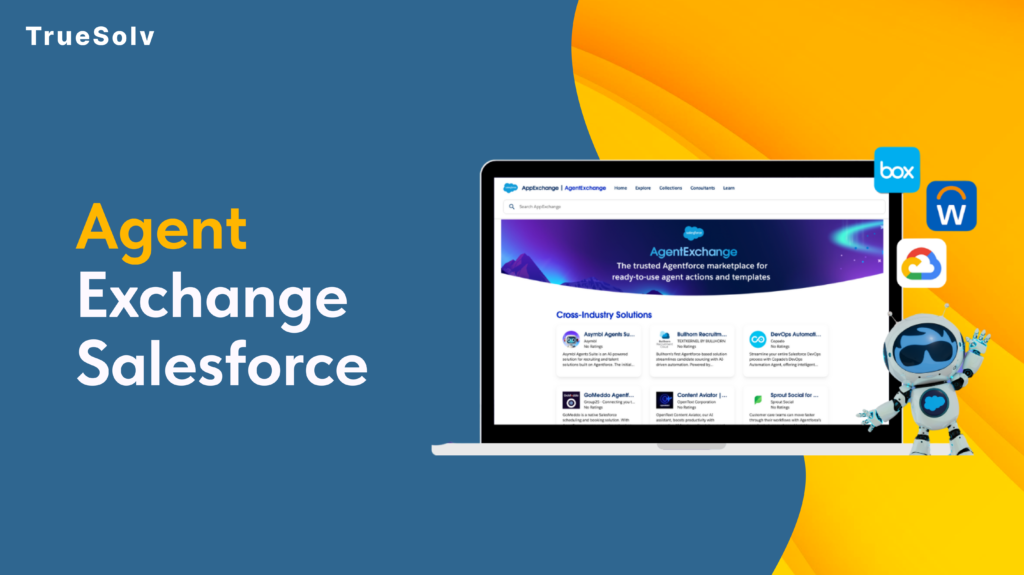
Salesforce has renamed things before. A lot. Data Cloud has had five names. Agentforce 360 had four. But AgentExchange, Salesforce’s most consequential rename yet is different. The AppExchange, launched in 2006, the marketplace that nearly 90 percent of Salesforce customers used to extend the platform, just became AgentExchange. Launched with a $50M Builders Fund and 13,000 apps, agents, and MCP servers under one roof. The community has thoughts. AppExchange to AgentExchange — Twenty Years 06 2006 AppExchange launches — first enterprise app marketplace Launch 12 2012 1,000 apps milestone 18 2018 AppExchange integrates Slack apps after acquisition 24 2024 Agentforce launches — first AI agent listings appear 26 2026 AgentExchange — unified catalog, AI search, $50M fund Now What actually changed The rename is not purely cosmetic. Three previously separate catalogs, the AppExchange, the Slack Marketplace, and the Agentforce ecosystem, are now unified into a single AI-searchable marketplace. That means 10,000 Salesforce apps, 2,600 Slack apps, and over 1,000 agents and MCP servers from partners including Google, DocuSign, and Notion now live in one place. Discovery works differently. Instead of keyword browsing through categories, users describe what they need and AgentExchange surfaces the right solution. One-click activation replaces the previous multi-step install process. For admins who have spent time navigating package installation wizards, that reduction in friction is material. The $50M Builders Fund is the other concrete change. It provides investment, engineering support, and go-to-market backing for ISVs and partners building in the new ecosystem, not a fund you apply to generically, but structured support tied to building agents and MCP integrations for AgentExchange distribution. The case for why it is more than a rebrand The community frustration with Salesforce naming is understandable and largely justified. When a product gets four names in three years, each rename starts looking like a marketing exercise rather than a product decision. This one is different for a specific reason: the marketplace structure changed, not just the name. AppExchange was an app catalog optimised for keyword search and category browsing. AgentExchange is designed from the ground up for AI-guided discovery. Those are different products with different underlying assumptions about how users find and evaluate solutions. Moreover, the consolidation of Salesforce apps, Slack apps, and AI agents into a single catalog reflects a genuine product reality: the Salesforce platform in 2026 includes all three, and separating them into different marketplaces created friction for customers who needed solutions that span all three surfaces. Putting them in one place with AI-guided discovery is a coherent response to how the platform actually works now. Partner data from the announcement makes the economic case more concrete. DocuSign processed over 200 private offers in Q4 2025 with 60 percent faster time to signature after listing on the unified marketplace. Notion cut its average sales cycle from four months to three weeks. These are not typical launch testimonials — they are specific metrics tied to the marketplace distribution model. What the community is actually saying The Reddit r/Salesforce thread opened with ‘Why?’ and the SF Ben community spent a productive afternoon debating whether CTO Nicolas Vuilamy was right that the company would eventually just rename itself Agentforce. One Salesforce coach wrote: ‘It is all a clear sign that the future is not human for Salesforce.’ The tone ranged from resigned to genuinely unsettled. The underlying concern is reasonable. When every product gets an ‘Agentforce’ prefix and every marketplace becomes an ‘Exchange’, it starts to feel like the platform is being rebuilt around a bet on AI that has not yet fully proven itself in the field. That is a fair read. The counter is also fair: the bets Salesforce made on CRM in 2006 and on the cloud in 2010 looked aggressive at the time and turned out to be correct. The question is whether the AI agent bet is in the same category. What this means by role 13,000+ Solutions total Salesforce apps, Slack apps, agents, and MCP servers unified in AgentExchange at launch $50M Builders Fund Investment, engineering support, and go-to-market backing for ISVs building agents and MCP servers 300% YoY growth Growth in Slack AI agent listings since January 2026 — the fastest-growing category in the marketplace Role What actually changed for you What to do now Admin Unified catalog means one place to find solutions across Salesforce, Slack, and Agentforce. AI-guided discovery replaces keyword browsing. One-click activation replaces multi-step install wizards. Explore Browse AgentExchange for solutions you previously searched AppExchange for — new categories and unified search may surface options you did not know existed. Developer 1,000+ agents and MCP servers are now listed alongside traditional apps. These are structured integration tools AI coding agents can call directly — a new category of extension beyond installed packages. Evaluate Review available MCP servers relevant to your integration stack. The agent/MCP category will expand rapidly; early familiarity pays off. ISV / Partner The $50M Builders Fund and AI-guided distribution represent a genuine go-to-market shift. Marketplace discoverability now depends on AI-optimised listing quality, not just keyword-based search ranking. Act now Review AgentExchange listing criteria. Evaluate what an agent or MCP server submission would require for your product. The window to list early in an AI-native marketplace is open now. Decision Maker The rename signals Salesforce’s long-term direction: agents as the primary unit of value. The practical marketplace capabilities are similar to AppExchange for current purchasing decisions. The strategic signal is clear. Watch Track which vendor partners are building agents and MCP integrations. The ecosystem is reshaping around agent-based extensions — understanding the map now informs technology roadmap decisions later. Building on Salesforce and thinking about what AgentExchange means for your product or integration strategy? Reach out at truesolv.com — we work with the Salesforce ecosystem daily. Follow us on LinkedIn for more Salesforce news with less jargon.
Connected Apps Are Being Retired in Salesforce
Starting with Spring ’26, Salesforce disabled the creation of new Connected Apps by default across all orgs. Your existing ones still work for now. But the direction is clear: External Client Apps are the future, and the clock is running. This guide covers what changed, why Salesforce made this move, what External Client Apps actually give you, which apps are and are not affected, and a step-by-step migration walkthrough through App Manager. The second half is a structured checklist for the audit before you migrate and the testing after. The TLS certificate changes happening in the same release are covered at the end, because both come from the same security-first motivation. Spring ’26 Migration Timeline & TLS Certificate Phase-Down Connected Apps → External Client Apps 1 Winter ’26 New Connected App creation disabled by default in new orgs Opt-in 2 Spring ’26 New creation disabled across all orgs — Support request required Enforced 3 Summer ’26 Expected enforcement deadline — plan migration before this Deadline 4 Summer ’26 Triple DES for SAML SSO stops working completely Hard Stop TLS Certificate Lifespan Phase-Down (CA-signed certificates only) A Until Mar 14, 2026 Max lifespan 398 days (previous standard) B Mar 15, 2026 Max lifespan drops to 200 days Now C Mar 15, 2027 Max lifespan drops to 100 days Plan for D Mar 15, 2029 Max lifespan drops to 47 days — automation required Automate Why Salesforce is making this change Connected Apps have been part of Salesforce for over a decade. If you have ever set up OAuth for a third-party integration, configured Data Loader, or connected a custom web application to the Salesforce API, you have used one. They are everywhere, and most of them work fine. The problem is not the apps that are configured properly. The problem is the ones that are not, and the architecture that makes unsafe configurations easy to create. By default, Connected Apps allow any API-enabled user in an org to self-authorise a connection to an external application, without admin approval. That is how phishing and vishing attacks that targeted Salesforce orgs worked: trick a user into authorising a malicious Connected App, and the attacker has API access to the org’s data. Salesforce responded by tightening this behaviour, but the structural issue remained. External Client Apps take a different starting position. They adopt a closed security posture by default. Access is not granted unless an administrator explicitly permits it. Furthermore, the architecture separates developer configuration from admin policy, which means a developer building an integration cannot inadvertently override security settings that the admin put in place. What changed in Spring ’26, specifically The rollout has been gradual. In Winter ’26, Salesforce disabled Connected App creation by default in new orgs, with an option for admins to re-enable it manually. Spring ’26 tightened that further: new Connected App creation is now disabled across all orgs, including existing ones. Getting the ability back requires a Salesforce Support request, and Salesforce has been clear that this option will eventually disappear entirely. Two categories of Connected Apps are not affected by this change. Connected Apps created as part of a managed package continue to work and can still be created in that context. Connected Apps used for Slack in the legacy Agentforce Builder are also excluded. Everything else follows the new default. Any new integration from Spring ’26 onward must be built as an External Client App. ⚠ What happens if you try to create a new Connected App without a Support request The New Connected App button no longer appears in App Manager — the option is gone from the UI entirely. Attempting to create one via the Metadata API returns an error. There is no workaround inside the platform. Any new integration built after Spring ’26 that requires its own OAuth client must use an External Client App instead. If a specific business case genuinely requires a new Connected App, you must open a Salesforce Support case and explicitly request the capability. Salesforce may or may not grant it, and this option will be removed in a future release. What External Client Apps offer that Connected Apps do not External Client Apps are not just Connected Apps with a new name. The differences are architectural, and several of them matter a lot depending on how your org is set up. Separation of developer settings and admin policies In a Connected App, the developer configuration and admin security policies live in the same record. A developer with edit access to the Connected App can change the OAuth scopes, the IP restrictions, and the session policies. In an External Client App, those roles are separated. Developers manage the technical settings; admins manage the access policies. Neither can override the other without the appropriate permission. For ISVs and AppExchange partners, this matters enormously. It means the admin installing your package can control how it behaves in their org without touching the underlying app configuration. Second-generation packaging support External Client Apps are designed specifically for second-generation packaging, or 2GP. Connected Apps technically work with 2GP, but the process required manual steps that were fragile and time-consuming. ECAs package cleanly, distribute correctly, and integrate naturally with source control and CI/CD pipelines via the Metadata API. For admins managing integrations rather than building packages, the practical difference is that ECAs behave more predictably in sandboxes and scratch orgs. Scratch Org support for External Client Apps was added in Spring ’26, which makes the developer testing cycle considerably cleaner. Closed security posture by default A new External Client App is not accessible to any user until an administrator explicitly grants access. There is no self-authorisation pathway by default. This is the core security difference from Connected Apps, and it is the reason Salesforce is moving in this direction. What ECAs do not yet support Two important gaps remain. External Client Apps do not support the Username-Password OAuth flow. If any of your existing Connected Apps use this flow, you cannot migrate them
Salesforce Pipeline Accuracy For SaaS Companies

Your Salesforce pipeline shows $400K. Your actual closeable pipeline is probably closer to $180K. That difference is not a forecasting error. It is a structural problem that most SaaS teams at the 20 to 50 person stage have — and most do not catch it until a board meeting goes badly. There are three specific patterns that create what we call phantom pipeline. They are not exotic edge cases. They show up in almost every SaaS org we look at between 20 and 50 people. Here is what they are. What your dashboard shows $400K Pipeline total across all open opportunities ✗Deals with no activity in 60+ days ✗Contacts who stopped replying in March ✗Renewals with no opportunity attached ✗Accounts with zero product usage What you are actually working with $180K Active, contactable, closeable this quarter ✓Activity logged within last 30 days ✓Contact responded within last 14 days ✓Renewal opportunity created and staged ✓Product usage confirms active engagement 1. Dead deals that nobody closed There are opportunities in your Salesforce right now that have not moved in 90 days. They are still sitting at Stage 3 or Stage 4, still counting toward the pipeline total, and nobody is touching them. Reps do not close them because closing a deal as lost hurts their quota attainment number. Managers do not push because the conversation is uncomfortable. So the deal sits there, neither alive nor dead, just inflating the number. In practice, this means your pipeline report is showing revenue from opportunities that have a near-zero probability of closing this quarter. The reps know it. The managers suspect it. The dashboard does not. A deal with no activity in 30 days and no reply in 14 days is not in your pipeline. It is in your wish list. Those are different things. 2. Renewals that are not tracked at all At a SaaS company, renewal revenue is often more predictable than new business — but only if someone is actually tracking it. Most orgs at this stage have no renewal opportunity objects, no renewal stage, and no alert when a contract is 60 days out. What happens instead: the CS team finds out it is renewal time when the client asks why they were auto-charged. Or worse, the client reaches out to say they want to cancel, and that is the first time anyone internally knew the renewal was approaching. That is not a process. That is luck. And it means that a significant portion of your actual annual recurring revenue — the revenue that should be the most predictable number in your business — is completely invisible in the tool you use to run sales. When renewal ARR is not in the pipeline, two things happen. Forecasts are wrong. And at-risk accounts are not identified in time to do anything about them. 3. Product data that never reaches the CRM Your product knows who is logging in every day. It knows who activated three core features last week and who has not touched the app in six weeks. That information exists somewhere in your stack — in Mixpanel, Amplitude, Pendo, or whatever analytics tool you use. Your CRM has no idea. Consequently, reps spend time calling accounts that are completely disengaged, because those accounts have an open opportunity at Stage 2. Meanwhile, accounts that are thriving, using the product heavily, and expanding their team are getting no expansion outreach because nothing in Salesforce flags them as a priority. The most valuable signal in a SaaS business — actual product behavior — is entirely absent from the tool where selling happens. So the pipeline that shows up in your forecast is built on CRM activity and deal stages, not on what your customers are actually doing. 1 Dead deals nobody closed Opportunities stalled for 90 days are still in the pipeline because closing them hurts quota. Reps avoid it. Managers avoid it. The dashboard keeps counting them. No activity in 30+ days = not in your pipeline 2 Renewals with no opportunity object No renewal stage, no contract expiry alert, no tracking. The CS team finds out it is renewal time when the client asks about the auto-charge. That is not a process. No renewal object = invisible ARR risk 3 Product data that never reaches the CRM Who logs in daily, who activated core features, who has not touched the app in six weeks — all of this exists in your analytics stack and none of it is in Salesforce. Product behavior invisible to reps = wrong priorities The question worth asking today Pull up your pipeline right now. Then apply three filters: Remove every deal with no activity logged in the last 30 days. Remove every deal where no contact has responded in the last 14 days. Remove every account expiring in the next 90 days that does not have a renewal opportunity attached. What number are you left with? For most SaaS teams at this stage, the answer is significantly lower than what the dashboard shows. And knowing the real number — even if it is uncomfortable — is always better than being optimistic about the wrong one. You cannot fix a problem you cannot see. The pipeline reality check Pull up your pipeline right now and apply these three filters ✗ Remove every deal with no activity logged in the last 30 days ✗ Remove every deal where no contact has responded in the last 14 days ✗ Remove every account expiring in 90 days with no renewal opportunity attached What number are you left with? For most SaaS teams at 20–50 people, the answer is significantly lower than the dashboard. Knowing the real number is always better than being optimistic about the wrong one. Phantom pipeline is not a Salesforce problem. It is a process problem that Salesforce happens to be hiding very effectively. These three patterns show up in almost every SaaS org we talk to between 20 and 50 people. If you want to
Agentforce Sales 2026 Is Live: What Every Director Needs to Know

Saleforce just gave every sales rep a digital coworker that never sleeps, never forgets a follow-up, and never loses a lead.