
Salesforce Time Tracking Sales
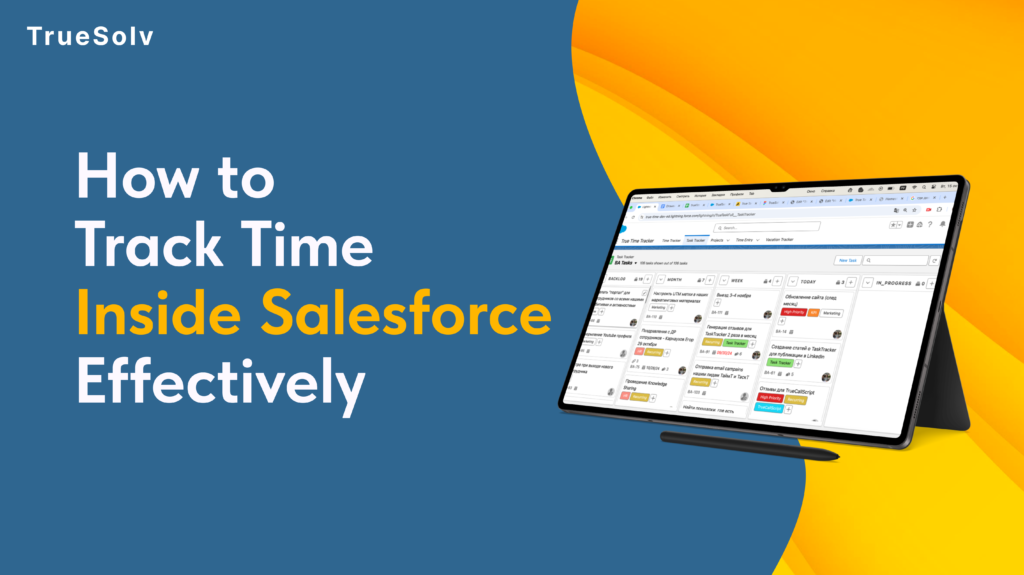
A sales manager can tell you the quota number for every rep on their team. Ask them how many hours per week those reps spend on actual selling versus admin work, meetings, and CRM updates — and the answer is usually a guess. The gap between what managers think their team is doing and what they are actually doing is where revenue goes quietly missing. True Time Tracker closes that gap, inside Salesforce, without a new tool, a new login, or a new workflow. Actual selling: 27% Typical B2B Sales Rep Time Split Actual selling activity27% Admin work and CRM updates28% Internal meetings19% Non-selling email and comms17% Other (travel, training, etc.)9% Source: Salesforce “State of Sales” research benchmarks. Your team’s split may vary — that is exactly the point. Why this gap exists at the 20 to 50-person stage At 10 people, a sales manager knows what every rep is doing because they are next to them. At 20 to 50 people, that changes. Reps are distributed, partially remote, or simply moving fast enough that day-to-day time patterns are invisible to leadership. Most sales tools track outcomes — deal value, close rate, pipeline stage. None of them track inputs in a way that is actionable. Pipeline reports tell you what happened. Time data tells you why it happened and what is likely to happen next. Without time visibility, the only lever a manager has when results are underperforming is to ask the rep what they think the problem is. That is a useful conversation but not a reliable diagnostic. Three decisions that become better with actual time data Account coverage Time allocation visibility lets managers see the full picture: a rep spending 14 hours a week on three legacy accounts — accounts that are renewing at stable rates and require minimal active management — while high-potential accounts get two hours each. The result shows up in pipeline three months later, not in this week’s activity log. With time data in Salesforce, the conversation changes from “why are these deals not progressing” to “let us look at where the time is going and redistribute it deliberately.” That is a more productive conversation with a more actionable outcome. Coaching conversations Most coaching conversations in sales are about results: close rate, pipeline coverage, deal velocity. These are lagging indicators. They tell you what already happened. Time patterns are leading indicators. A rep spending 60 percent of their selling time on proposals and zero time on prospecting will have an empty pipeline in six weeks. A rep who has not had a discovery call with a new prospect in 14 days is building the same problem. Time data surfaces these patterns before the pipeline report does. Headcount decisions Before hiring the next sales rep, most companies look at pipeline coverage and close rates. The more direct question is: how are current reps actually spending their time, and where are they constrained? If reps are spending three hours a day on admin that could be automated or systematised, the capacity problem is not a headcount problem. If they are spending all available hours on active selling and the pipeline still cannot grow, it is. Time data makes the distinction visible before a hiring decision is made. Decision Without time visibility With True Time Tracker Account coverage Manager asks rep why deals are not progressing. The real issue — hours disproportionately allocated to low-ARR accounts — is invisible. Manager sees actual time per account vs ARR per account. Reallocation conversation is data-driven: “You spent 14 hours on these three accounts. Here is what the time looks like vs revenue potential.” Rep coaching Coaching is based on close rate, pipeline coverage, deal velocity — lagging indicators. Manager reacts to what already happened. Coaching is based on time patterns — leading indicators. Rep spending 60% of time on proposals and 0% on prospecting will have an empty pipeline in 6 weeks. Manager can see and address this now. Capacity planning Headcount decision based on pipeline coverage and close rates. Team looks busy. Manager hires another rep. Productivity problem continues. Time data shows reps spending 3 hours/day on admin that could be systematised. Bottleneck is process, not people. Automation before hiring saves the cost of a rep. Pipeline forecasting Manager estimates based on rep self-reporting. Forecast accuracy is moderate at best and degrades as the quarter progresses. Time patterns on high-value accounts are a leading indicator of deal velocity. Time data improves forecast input quality before the pipeline report catches up. How True Time Tracker works inside Salesforce True Time Tracker logs time natively inside Salesforce, against the records that time relates to: Opportunities, Accounts, Activities, or custom objects. Reps log time in the same interface they use to update deals. Managers see time data in dashboards alongside pipeline data, without switching tools. The most common objection to time tracking is rep resistance — a perception that it is surveillance rather than a management tool. True Time Tracker addresses this by making the data visible to the rep as well as the manager. Reps can see their own time patterns, which is often the most effective way to surface inefficiencies that they were not aware of. Three questions True Time Tracker answers that your pipeline report cannot Pipeline reports track results. Time data tracks what produces them. 1Are my reps spending time on the right accounts?Time per account vs ARR per account reveals coverage misalignment immediately. High-potential accounts receiving low time allocation show up clearly — weeks before the missed deal shows up in pipeline.Pipeline report answer: “Here are the deals and their stages.” — Not useful for spotting coverage problems. 2What is actually taking up my reps’ selling time?If a rep’s capacity is constrained, the question is whether it is constrained by selling activity or by admin and meetings. Time data gives you that breakdown. The intervention is different depending on the answer.Pipeline report answer: “The rep has 12 open opportunities.” — Does not tell you why
Salesforce Q1 FY27 Earnings Preview
Salesforce reports Q1 FY27 earnings on June 3. Last quarter: $11.2B in revenue, 29,000 Agentforce deals closed, $800M in Agentforce ARR — and guidance for continued Agentforce-led growth. The question everyone will be watching is not whether the revenue number grew. It is whether Agentforce ARR is accelerating and how many of those 29,000 deals turned into real deployments. Salesforce FY26 Full-Year Results — The Baseline for June 3 Q1 FY27 earnings reported June 3, 2026 after market close $41.5B+10% YoYFY26 full-year revenue — highest annual total in company history $800M+169% YoYAgentforce Annual Recurring Revenue at end of FY26 29,000+50% QoQAgentforce deals closed since launch — commercial and public sector $72BRPORemaining Performance Obligations — contracted future revenue Source: Salesforce FY26 Q4 Earnings, February 25, 2026. Q1 FY27 results on June 3 are the first post-FY26 signal on whether Agentforce momentum is accelerating or plateauing. Watch 1: Agentforce ARR trajectory FY26 closed with $800M in Agentforce ARR after 169 percent year-over-year growth. Q1 FY27 is the first full quarter with three key products in market simultaneously: Agentforce Sales went GA on March 16, Agentforce Operations went GA on April 29, and Agentforce Contact Center is live in Enterprise and Unlimited editions. The ARR number on June 3 is the first clean signal of whether enterprise adoption is compounding from the FY26 base or plateauing as initial deal signings convert into measured deployments. A significant step-up from $800M suggests acceleration. Flat or modest growth suggests the 29,000 deal count is still primarily pilots and signed agreements rather than active production deployments. Additionally, watch the combined Agentforce and Data Cloud ARR figure. In FY26, that number exceeded $2.9B. The Data Cloud layer is the data substrate that makes Agentforce agents reliably useful — its trajectory tells you something about the depth of enterprise adoption beyond surface-level AI feature adoption. Watch 2: Deployment signals versus deal count Twenty-nine thousand Agentforce deals signed is a pipeline number. The more interesting metric is what proportion of those deals moved from signed to live in production. Salesforce provided proxy signals for this in FY26 — token consumption (nearly 20 trillion tokens processed) and agentic work units (2.4 billion delivered) — as evidence of real operational output rather than just signed contracts. Q1 FY27 will either extend those proxy metrics significantly or provide a more cautious signal about deployment pace. Token consumption accelerating quarter-over-quarter is the clearest indicator that the deal count reflects real production usage, not pipeline optimism. Three Questions to Watch on June 3Earnings preview 1 Is Agentforce ARR accelerating from the $800M FY26 base? Q1 FY27 is the first full quarter with Agentforce Sales (GA March 16), Operations (GA April 29), and Contact Center all in market. A significant step-up signals compounding enterprise adoption. Flat growth signals deals are still converting slowly from signed to deployed. Bullish signal: ARR significantly above $800M run rate 2 Are the proxy deployment metrics (tokens, agentic work units) accelerating? FY26 reported nearly 20 trillion tokens and 2.4 billion agentic work units — operational evidence of real production usage. If these numbers step up materially in Q1 FY27, it confirms a meaningful proportion of the 29,000 deals are live in production. Bullish signal: token consumption and agentic work units significantly higher 3 Any signal on Agentforce traction below the enterprise segment? FY26 Agentforce growth was primarily enterprise-led. The Spring ’26 release — AgentExchange consolidation, Salesforce Setup for SaaS, managed package templates — signals intent to accelerate mid-market and SMB adoption. Commentary on sub-enterprise traction would be significant. Watch for: SMB and mid-market Agentforce references in prepared remarks Watch 3: SMB and mid-market traction FY26 Agentforce growth was predominantly enterprise-led. Large deals with named enterprise customers drove the majority of the ARR. The Spring ’26 release — including the Salesforce Setup for SaaS initiative, the AgentExchange marketplace consolidation, and the acceleration of managed package templates for specific verticals — signals intent to bring Agentforce adoption into the mid-market and SMB segments. Salesforce’s $41.5B revenue base was built primarily on SMB and mid-market customers. The long-term Agentforce story depends on whether the platform can deliver agent value at that tier, not just at the enterprise level where implementation complexity is more manageable. One more thing: the Earnings Show format Salesforce moved its earnings calls to a more informal ‘Earnings Show’ format that often includes customer CEO guests and a conversational structure alongside the traditional financial presentation. It is worth watching in full rather than reading the transcript — the customer case studies and Benioff’s commentary on platform direction often contain more signal about where the product is going than the prepared remarks alone. 📺 About the Salesforce Earnings Show — June 3 🕔Time: After market close on June 3, 2026. Typically begins 1 hour after close with the press release, followed by the live show. 🎙️Format: Conversational structure alongside traditional financial presentation. Often includes customer CEO guests discussing real deployment outcomes. 📊Beyond the numbers: Benioff’s commentary on Agentforce deployment depth, customer case studies, and any commentary on the SMB and mid-market motion. 🔗Where: investor.salesforce.com — live stream and replay. TrueSolv will be covering the call live on LinkedIn. The revenue number on June 3 will tell you how Salesforce is doing. The Agentforce ARR trajectory and the deployment signals will tell you whether the platform bet is compounding. Those are different questions and the second one matters more for anyone who depends on Salesforce as infrastructure. Salesforce Earnings Q1 FY27 Agentforce Salesforce News CRM Share: LinkedIn Twitter / X Copy link In this article 01Watch 1: Agentforce ARR trajectory 02Watch 2: Deployment vs. deal count 03Watch 3: SMB & mid-market 04The Earnings Show format FY26 baseline — key numbers $41.5BFY26 full-year revenue $800MAgentforce ARR (end of FY26) 29KAgentforce deals closed $72BRemaining Performance Obligations $2.9BAgentforce + Data Cloud combined ARR June 3 — what to watch 📈Agentforce ARR step-up from $800M ⚙️Token consumption acceleration 🏢Sub-enterprise traction signals 📺Earnings Show — watch in full About the Author DS Daria Savelieva Salesforce Consultant &
Agent Script: The Layer Between AI Flexibility and Enterprise Control
The biggest complaint about AI agents in production has always been the same: they work great in demos and go off-script in real deployments. Salesforce heard that complaint and built Agent Script — a scripting language that lets you define exactly how an agent behaves, step by step, without giving up the flexibility that makes AI useful. Here is what it is, how it works, and why it changes the calculus on Agentforce adoption. Agent Behaviour: Without vs. With Agent Script WITHOUT Agent Script — probabilistic path WITH Agent Script — deterministic rails User request Path A Path B Path C Outcome depends on reasoning and conversation flow ⚠ Risk: agent may skip required verification if the user’s phrasing is persuasive or impatient User request Identity verified REQUIRED STEP — Agent Script AI handles response Verification tool call must return confirmed — no bypass ✓ Deterministic: required steps always execute AI reasoning operates within defined rails The problem Agent Script was built to solve AI agents are probabilistic systems. Give an agent a task and it reasons toward an outcome — evaluating options, choosing actions, interpreting ambiguous inputs — in a way that is flexible and often impressive but never fully predictable from the instruction set alone. For customer service, sales qualification, and internal help desk use cases, that flexibility is valuable. The agent can handle variations in how a question is asked, adapt to unexpected inputs, and reach correct outcomes through different reasoning paths. However, for enterprise deployments where specific steps must happen in a specific order — identity verification before account access, compliance disclosure before a financial recommendation, escalation to a human at a specific deal stage — probabilistic behaviour is a blocker, not a feature. The question is not whether the agent gets to the right answer. It is whether it follows the required path to get there. How Agent Script works Agent Script adds a deterministic layer on top of the AI reasoning layer. You define the fixed logic in a human-readable JSON expression language — the if/then rules, the required tool calls, the handoff triggers, the compliance checkpoints — and the LLM handles the conversational reasoning in between the defined steps. The mental model is a set of rails. Between the rails, the agent reasons freely and handles variation naturally. At the defined points on the rails, the behaviour is fixed: the agent must perform a specific action, verify a specific condition, or hand off to a specific resource before it can continue. Agent Script — identity verification before account access Simplified example // Step 1: Required identity verification // Agent cannot proceed until this returns “verified” { “step”: “verify_identity”, “type”: “required_tool_call”, “tool”: “IdentityVerificationService”, “condition”: { “result”: “verified” // must match — no bypass } } // Step 2: AI handles the response conversation // LLM reasoning operates freely here { “step”: “handle_account_query”, “type”: “llm_reasoning”, “context”: “account_data”, “guardrails”: [“no_pii_in_response”] } // Step 3: Handoff trigger if deal threshold met { “step”: “check_escalation”, “if”: { “deal_value”: { “$gt”: 50000 } }, “then”: { “action”: “handoff_to_human”, “queue”: “senior_sales_rep” } } Between the defined steps, the AI reasons freely. At the defined steps, the behaviour is fixed — the agent cannot proceed without completing the required action. The distinction from a traditional decision tree is important. Agent Script is not replacing AI reasoning with a flowchart. It is constraining the parts of the interaction where constraint is required while leaving the parts where AI is valuable free to operate as designed. Practical examples Customer service agent with identity verification Without Agent Script: The agent is instructed to verify identity before accessing account data. Whether it follows that instruction precisely depends on how the conversation goes — a persuasive or impatient customer might cause the agent to skip or abbreviate the step. With Agent Script: Identity verification is a defined step in the script. The agent cannot proceed to account lookup until the verification tool call returns a confirmed result. The LLM handles the conversation around verification, but the verification itself is not optional. Sales qualification agent with human handoff Without Agent Script: The agent is instructed to hand off to a human sales rep when a qualified opportunity reaches a specific threshold. Whether it recognises the threshold correctly depends on its interpretation of the conversation. With Agent Script: The handoff trigger is defined explicitly. When the deal value field exceeds the threshold, or when the prospect uses specific phrases indicating high purchase intent, the agent executes a defined handoff action to the Salesforce queue. The LLM does not decide whether the handoff happens; the script does. Integration with Agentforce Builder Agent Script integrates with Agentforce Builder — the conversational build environment introduced in Spring ’26. Admins and developers write Agent Script in the Builder interface alongside the natural language instructions that govern the agent’s conversational behaviour. The separation of concerns in the build environment mirrors the separation in the runtime: conversational behaviour is configured in natural language, deterministic controls are written in Agent Script. Neither replaces the other. Additionally, Agent Script was open-sourced at TDX 2026. The full specification, parser, and compiler are on GitHub. For compliance teams and legal teams who need to understand and audit agent behaviour independently of the vendor, this is significant: Agent Script is a readable, auditable format that does not require Salesforce expertise to understand the logic. Who needs Agent Script now, and who can wait Use case type Determinism non-negotiable Pure AI reasoning is fine Customer service — account access Identity verification must precede account lookup without exception. Agent Script enforces the required step regardless of conversation flow. Handling FAQ questions that do not involve personal data — product information, store hours, general policies. Financial services Regulatory disclosures must be delivered before a product recommendation. Compliance checkpoints cannot be skipped regardless of conversation length. Summarising publicly available market information with no personalised recommendation required. Sales qualification Handoff to a human rep must trigger at a specific deal stage or value threshold,
TDX 2026 Salesforce Recap

Salesforce co-founder Parker Harris asked the question right before TDX 2026: “Why should you ever log into Salesforce again?” What got announced on April 15 in San Francisco was a structural redesign of how the entire Salesforce platform works. Here is the short version of everything that actually matters. 🌐 Headless 360Platform as API Every Salesforce capability is now an API, MCP tool, or CLI command. AI coding agents can build and act in your org without a browser. GA at TDX 60+ new MCP tools · 40% dev cycle time reduction 🎛️ Agentforce Vibes 2.0Org-aware AI dev IDE Vibe coding with full org metadata awareness. Four modes: Agentic, Plan, Ask, Debug. Runs on Claude Sonnet, GPT-5, and open source models. Preview May ’26 Multi-model · Paid tier required 🔄 AgentExchangeAppExchange renamed AppExchange, Slack Marketplace, and Agentforce ecosystem unified into one AI-searchable catalog. One-click activation. $50M Builders Fund. GA at TDX 13,000+ solutions · 1,000+ agents & MCP servers 📋 Agent ScriptOpen-sourced Deterministic scripting language for AI agents — fixed rules + LLM reasoning in between. Full spec, parser, and compiler now on GitHub. Open source Compliance-readable · Agent Fabric integration Headless 360: the browser is now optional For most of Salesforce’s history, building on the platform meant working inside it — browser open, Setup menu navigated, page layouts configured. Headless 360 draws a line under that era. Every capability on the Salesforce platform is now reachable as an API, an MCP tool, or a CLI command. Sixty new MCP tools and thirty preconfigured coding skills shipped at launch. The practical implication is that AI coding agents can now build and act inside your Salesforce org without a browser open anywhere. Salesforce cited a 40% cycle time reduction for development workflows as an early benchmark. The DevOps Center MCP brings programmatic access into any CI/CD pipeline, and Natural Language DevOps lets developers describe what they want to deploy rather than configuring it step by step. Agentforce Vibes 2.0: org-aware AI development Most AI coding tools write code that looks correct but does not know what objects, fields, profiles, flows, or integrations exist in your specific org. Agentforce Vibes 2.0 solves that. It uses the Salesforce Unified Catalog to provide context-aware suggestions from the first prompt. Four work modes ship with Vibes 2.0. Agentic mode for autonomous task completion. Plan mode for back-and-forth review before any code is written. Ask mode for questions about how the org or its code works, without triggering changes. Debug mode for inspecting what is happening in production and proposing a fix before applying it. Multi-model support is included: Claude Sonnet, GPT-5, and open source models. For organisations with model commitments or data residency requirements, that is material. Vibes 2.0 enters preview in May 2026. The free tier is being removed; a paid subscription is required. AgentExchange: one marketplace for everything AppExchange launched in 2006 and became the marketplace that nearly 90 percent of Salesforce customers used to extend the platform. It just became AgentExchange. The rename reflects a structural consolidation: AppExchange, the Slack Marketplace, and the Agentforce ecosystem are now unified into a single AI-searchable catalog. Ten thousand Salesforce apps, 2,600 Slack apps, and over 1,000 agents and MCP servers from partners including Google, DocuSign, and Notion now live in one place. One-click activation replaces the previous multi-step install process. A $50M Builders Fund provides investment, engineering support, and go-to-market backing for ISVs and partners building in the new ecosystem. Partner results from the announcement: DocuSign cut time to signature by 60 percent after listing on the new marketplace. Notion reduced its average sales cycle from four months to three weeks. Agent Script goes open source Agent Script is the scripting language Salesforce built to solve a specific problem: AI agents are probabilistic. They reason their way through scenarios and can arrive at unexpected outcomes because that is how LLM reasoning works. For enterprise deployments, that unpredictability is often a blocker. Agent Script adds a deterministic layer on top: you define the fixed logic and the LLM handles the reasoning in between the defined steps. At TDX 2026, Salesforce open-sourced the full specification, including the parser and compiler, on GitHub. The open-source move is a platform bet. Salesforce is inviting the broader developer ecosystem to build agent authoring tools on top of a shared language specification rather than a proprietary SDK. Furthermore, it makes Agent Script readable and auditable by compliance teams who do not write code. “Why should you ever log into Salesforce again?” Parker Harris, Salesforce Co-Founder Said before TDX 2026 — not a provocation, but the product roadmap. Every Salesforce capability is now reachable as an API, MCP tool, or CLI command. What this means for your org right now The honest answer is: less than the announcement energy suggests, and more than you can safely ignore. For orgs that are not yet using Agentforce at all, TDX 2026 reduced the distance between a prototype and a deployed agent. The infrastructure, APIs, MCP tools, Agent Script, a governed marketplace, is now in place. The question is no longer whether you can build on it; it is whether your org’s metadata, data quality, and team readiness support doing so reliably. For orgs already running Agentforce in production, Headless 360 and Agent Script are the most immediately relevant announcements. Headless 360 changes how integrations and CI/CD pipelines interact with the platform. Agent Script changes how you define and govern agent behavior at scale. Role Most relevant TDX announcement What to do now Salesforce Admin External Client Apps enforcement tightening in Summer ’26 alongside the sandbox upgrade. AgentExchange consolidation changes how you install managed packages. Act now Audit Connected Apps before May 9. Review AgentExchange for any solutions your org has been looking at. Developer Headless 360 ships 60+ MCP tools and enables AI coding agents to work directly inside Salesforce orgs. Agentforce Vibes 2.0 previews in May with org metadata awareness and four work modes. Plan for Assess your metadata hygiene — Vibes
Salesforce Tracks Field History. Just Not Enough of It
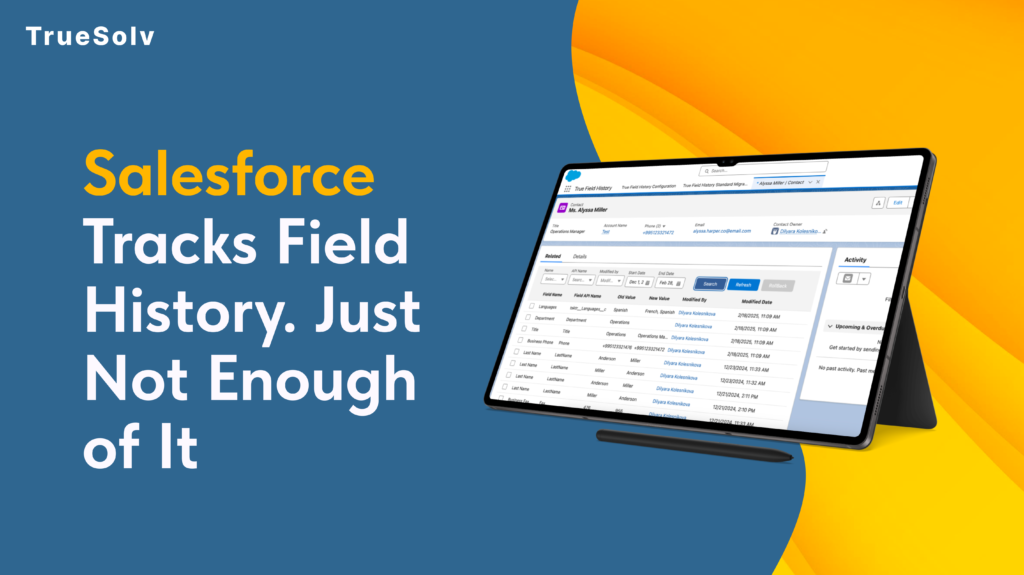
Salesforce tracks field history out of the box. Most admins know this. What they also know is that the native tracking has a ceiling of 20 fields per object, a retention window of 18 months, and a reporting layer that makes it genuinely difficult to answer the question: what changed, when, and who did it? For most orgs running real sales, compliance, or operations workflows, those limits are not theoretical. They are the reason someone eventually asks for something the system cannot produce. What native Field History Tracking actually gives you Salesforce’s built-in Field History Tracking works by logging changes to specified fields on standard and custom objects. When a field value changes, Salesforce records the old value, the new value, the timestamp, and the user who made the change. That information appears in a related list on the record. This is genuinely useful as far as it goes. For a small team with straightforward audit needs and a limited number of objects to monitor, it covers the basics without any configuration beyond selecting the fields to track. The limits become visible when the needs become real. Twenty fields per object is not a large number for an org where a Sales team, an Ops team, and a CS team are all working on the same objects with different fields they care about. Eighteen months is a short window for any compliance use case where a contract or customer relationship spans multiple years. And the related list view, while functional for looking up a single record, is not a reporting surface. ⚠ What happens when a deal value changes and nobody knows why The situation A rep closes a deal at $48,000. Commission is calculated. Three weeks later, the Opportunity Amount in Salesforce reads $38,000. The rep says the value was changed without authorisation. The manager says it was never $48,000. The deal was one of hundreds closed that quarter. Without True Field History The Amount field was not one of the 20 tracked fields — or the change happened during a bulk import that bypasses native logging — or it happened 19 months ago, outside the retention window. No verifiable record exists. The dispute is resolved by whoever has more leverage in the room. With True Field History The full history of the Amount field is available as a Salesforce report: original value, every change since creation, the user who made each change, and the timestamp. The dispute takes five minutes to resolve, and the answer is based on data, not memory. What True Field History does differently True Field History is a native Salesforce app built to remove the ceilings that the built-in tracking imposes. It runs inside your existing Salesforce org, uses the same objects and security model your team already works with, and does not require external infrastructure or a separate data store. The difference is in what gets tracked, how long it is retained, and what you can do with the data once it exists. Capability Native Field History Tracking True Field History Fields tracked per object 20 fields maximum Hard Salesforce platform limit — applies to all standard and custom objects Unlimited Track as many fields as your compliance or operations requirements need Data retention period 18 months Changes older than 18 months are purged automatically by Salesforce Configurable Retain history for as long as your business or regulatory requirements specify Reportability Related list only View history on one record at a time — cannot be included in standard Salesforce reports or dashboards Full Salesforce reporting History data is queryable via Reports and Dashboards — analyse across records, users, and time periods API and system user changes Partial API changes to tracked fields are logged, but still subject to the 20-field cap and retention window Full coverage All changes captured — human edits, integration users, API calls, and system processes Bulk and import changes Not logged Data Loader and bulk API changes are excluded from native field history by default Captured Import and bulk operation changes are logged with user, timestamp, and source Cross-record analysis Not available No way to report on which fields changed most, which users made the most edits, or change patterns across the org Available Build reports on change frequency, user activity, object-level trends, and pre/post-change values at scale Compliance audit readiness Limited Adequate for basic lookups within the 18-month window if the field was tracked — insufficient for formal audits on older data Purpose-built Designed to produce the complete, date-stamped change history that auditors and compliance teams require Installation Native — no install needed Native Salesforce app Installed in your org — no external infrastructure or separate data store No field cap True Field History tracks as many fields as your compliance, operations, or business requirements need — not as many as Salesforce’s 20-field limit allows. For objects with complex workflows where many fields carry business-critical information, this removes the prioritisation problem: you no longer have to decide which 20 fields matter most. Retention that matches your business timeline The 18-month native retention window is shorter than many contract cycles, audit requirements, or customer relationship timelines. True Field History retains the history you need for as long as your business requires it, without the automatic purge that native tracking applies. History that is actually reportable The related list view in native Salesforce is not a reporting surface. It shows you the history of one record at a time, which is fine for lookups but useless for analysis. True Field History stores change data in a structure that Salesforce Reports and Dashboards can query. That means you can answer questions like: which fields changed most frequently last quarter, which users made the most modifications to closed Opportunities, or which accounts had their contract value changed in the 30 days before renewal. System and API changes captured Changes made by integration users, system administrators, or API processes are logged alongside changes made by human users. For orgs with active integrations,
Salesforce Setup Roadmap for SaaS Companies
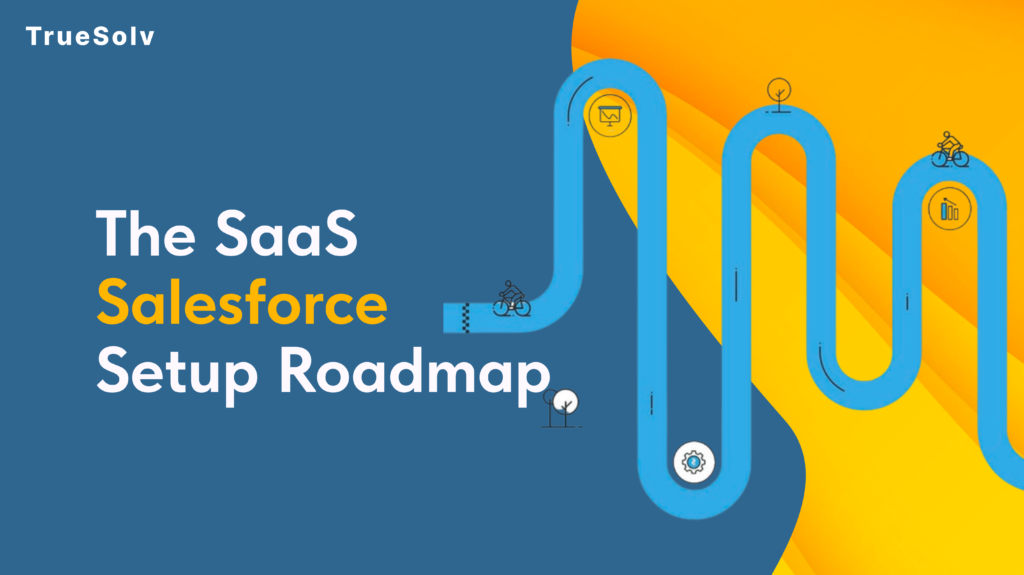
Setting up Salesforce for a SaaS company is not the same as setting it up for a real estate agency or a professional services firm. Subscriptions, trials, renewals, MRR, none of that exists in a default Salesforce org. Getting it right means building a system that reflects how SaaS revenue actually works: from the first lead through to the second and third renewal. This is the setup roadmap used with SaaS companies at every growth stage. SaaS Salesforce Setup — Three-Phase Roadmap Phase 1 Pipeline Control 2 – 15 people SaaS-configured objects (MRR, ACV, trial stages) Website lead capture via Web-to-Lead Email and calendar auto-sync Basic quota tracking Clean data migration Foundation Phase 2 Process & Prevention 15 – 30 people Contract Management object New Business vs Renewal quota split Round Robin lead assignment Calendly integration Outbound activity logging Scale-Ready Phase 3 Revenue Intelligence 30 – 50 people Product data via Segment / PostHog Stripe subscription sync Automated Renewal Opportunities Quotes object and PDF proposals RevOps forecasting Fully Connected Build in sequence — each phase is the foundation for the next The roadmap breaks into three phases, each tied to the problems that appear at a specific team size. Phase 1 is about getting your data into one place and your pipeline under control. Phase 2 is about building process before things break. Phase 3 is about connecting your product and revenue data so the whole system works without manual intervention. Most SaaS companies skip Phase 1 entirely, configure a few things in Phase 2, and then wonder why Phase 3 never delivers the visibility they expected. ⚠ What breaks when you skip Phase 1 and go straight to Phase 3 No clean data foundation Stripe sync and product events write to duplicate or incomplete records. Automation fires on bad data. No stage or quota logic RevOps forecasting has nothing reliable to forecast. Pipeline reviews become guesswork in a different tool. No email or activity sync Automated tasks get created on leads with no interaction history. Reps ignore them because there is no context. No Contract Management object Renewal Opportunity automation has no subscription terms to read. The automation cannot trigger correctly. No team training or adoption The Phase 3 system sits unused while the team works in spreadsheets. The investment does not produce results. Phase 1 (2–15 people): Get the pipeline under control At this stage, most SaaS teams have contacts in a spreadsheet, deals tracked in someone’s head, and follow-up happening through email threads. Salesforce at Phase 1 has one job: get everything into one system and make it usable for a small team with no dedicated ops person. Configure core objects for SaaS context A default Salesforce org is built for transactional sales. The standard Opportunity fields assume a one-time deal. For SaaS, you need subscription-aware fields from the start. That means adding fields for Monthly Recurring Revenue, Annual Contract Value, trial start and end dates, subscription tier, and billing interval. The Lead object also needs updating. Source fields should reflect where SaaS leads actually come from: product sign-up, inbound form, G2 review, or referral. Furthermore, the Opportunity stage names matter more than most teams realise. Default stages like ‘Prospecting’ and ‘Perception Analysis’ mean nothing in a SaaS context. Replace them with stages that reflect your actual sales motion: Trial Active, Demo Scheduled, Proposal Sent, Closed Won, Closed Lost. Set up lead capture from your website Every SaaS website has a form or a trial sign-up button. In most early-stage companies, those leads land in an email inbox or a spreadsheet. Connecting your website forms directly to Salesforce via the Web-to-Lead feature takes an afternoon and immediately removes the manual logging step. For trial sign-ups specifically, the connection between your product and your CRM is worth building early. Even a simple webhook that creates a Lead when a user signs up gives your team visibility into who is in the product — before you build anything more sophisticated. Connect email and calendar Manual activity logging is the reason most CRM data goes stale within three months of implementation. When reps have to log every call and email by hand, they stop doing it. Salesforce Inbox or the standard Gmail and Outlook integrations sync email threads and calendar events automatically. As a result, every Lead and Contact record shows a complete interaction history without anyone updating it manually. That is the baseline that makes everything else in the CRM trustworthy. Set up sales quotas early Most founders skip quota configuration at Phase 1 because the team is too small. That is a mistake. Setting up quota tracking in Salesforce from the beginning creates a performance culture before the team grows. Specifically, it gives you a reference point when you are making your first sales hire: what does good look like, and what is the current baseline? Quota configuration at this stage is simple. Assign monthly or quarterly revenue targets per user, and build a single Salesforce report that shows actuals versus target. That is all you need at 2–15 people. Data migration: clean before you move Almost every SaaS company arrives at Salesforce with a mix of HubSpot exports, Notion tables, and Airtable bases. Before migrating any of that data, spend time cleaning it. Remove duplicates, standardise company names, and decide which fields you actually need to carry over. Moving messy data into Salesforce does not fix the mess. It just moves it into a more expensive system. A clean migration of 500 accurate records is considerably more useful than importing 3,000 records with no confidence in the data. Phase 1 — Pipeline Control Checklist 2–15 people Core object fields configured — MRR, ACV, trial dates, subscription tier on Opportunity; SaaS lead sources on Lead Opportunity stage names updated — replaced with SaaS stages: Trial Active, Demo Scheduled, Proposal Sent, Closed Won, Closed Lost Web-to-Lead connected — website form and trial sign-up button create Lead records automatically Email and calendar sync live — Gmail or Outlook integrated;
Salesforce CRM for SaaS startups
Salesforce CRM for SaaS startups turns scattered inboxes into a working sales system. Stop losing deals to spreadsheets. Set up in two weeks.
Customer Success Operations Inside Salesforce
Every CS team has a version of the same problem. The renewal is in six weeks, the CSM has a feeling about it, and that feeling is not in the CRM. When the feeling turns out to be wrong, there is no record of what was missed or why. And next quarter, the same conversation happens with a different account. This playbook covers how to structure customer success operations inside Salesforce so that health, risk, and renewal outcomes become visible, forecastable, and consistently actioned rather than dependent on who happens to be paying attention. Defining customer health without noise Customer health scores fail most often because they try to measure everything. Twelve signals, four data sources, a weighted formula that nobody remembers how to interpret. The score exists but nobody trusts it, so nobody uses it. The signals that most reliably predict churn or expansion across B2B SaaS accounts fall into four categories: Product engagement Are the right users logging in and using the features that deliver value for that customer’s use case. High login volume from a single user is not health. Broad usage across the team and core feature adoption is. Commercial relationship Are invoices paid on time. Are there open support escalations. Has contract scope changed recently. These signals sit in Salesforce already. Stakeholder engagement Has there been meaningful contact with the economic buyer in the last 90 days. Are there open action items from the last business review that have not been addressed. CSM sentiment The CSM’s professional assessment of the relationship, documented as a structured field rather than a note. Green, yellow, or red with a required comment when the rating is yellow or below. Keeping the model to four inputs is a deliberate constraint. It forces the team to decide what actually predicts outcomes for their customer base rather than including everything that could possibly be relevant. Once the model is in use and producing consistent data, additional signals can be added. Starting complex produces a score nobody maintains. The health score should be a field on the Account object, visible on the account page layout alongside the renewal date and the CSM. Any score change should trigger a task for the CSM to review and update the comment field. That comment field is what makes the score useful in leadership reporting, because a red score with context is actionable, while a red score without context just creates a meeting where everyone asks the same questions. Renewal forecasting and risk tracking Renewal forecasting that lives in a spreadsheet is renewal forecasting that nobody outside the CS team can see, verify, or act on. Building it inside Salesforce connects renewal visibility to the same pipeline reporting leadership uses for new business, which changes how seriously it is treated. The standard model uses a Renewal Opportunity object linked to the Account, with a stage field that mirrors the stages the CS team actually works through rather than a copy of the sales pipeline. TrueSolv Tables Renewal stage Typical timing Owner action required Early review 120 to 90 days out CSM reviews health score and flags any risk indicators. Stakeholder confirmed 90 to 60 days out Economic buyer engaged. Renewal scope confirmed. At risk Any point Risk reason documented. Escalation owner assigned. Recovery plan active. Terms agreed 60 to 30 days out Commercial terms confirmed. Contract in progress. Closed won On or before renewal date Contract signed. Health score reset. Expansion noted if applicable. Closed lost Post-renewal date Churn reason documented. Account offboarding initiated. The at-risk stage should be accessible from any other stage in the pipeline, not just sequential. A renewal that was tracking green at 90 days can become at-risk at 45 days because of a support escalation or a change in the customer’s leadership. The CRM model needs to reflect that. Renewal forecast accuracy improves when CSMs are required to document the reason for their confidence rating at each stage rather than just selecting a stage. A renewal at terms agreed with the note that the buyer has not responded to three emails in two weeks is a different risk profile than one where the buyer confirmed on a call last week. That distinction needs to exist in the data, not just in the CSM’s head. Product and support signal integration The health score is only as current as the signals feeding it. For CS operations to work at scale, product engagement and support data need to flow into Salesforce without requiring the CSM to manually update fields after every check-in. Product usage data from platforms like Pendo, Amplitude, or Mixpanel can be pushed to Salesforce through standard API connections. The fields that matter most on the Account record are not raw usage numbers but summarised indicators: whether the account’s active user count is trending up or down, whether core feature adoption has passed the threshold associated with retention in your cohort analysis, and whether there has been any usage in the last 30 days. Those three data points are more actionable than a dashboard full of event counts. Support signal integration follows a similar logic. Open case count by account, average resolution time, and whether there is an active escalation are the fields that change how a CSM approaches a renewal conversation. A Salesforce Flow can calculate these from Service Cloud case records and write them to the Account object without any manual work. Once they are on the account record, they can be included in the health score calculation and surfaced in renewal dashboards. The practical question when designing signal integration is: which data point, if it changed, would cause a CSM to take a different action today. That is the data worth surfacing. Everything else is noise that makes the account record harder to read and the health model harder to maintain. Playbooks and escalation paths A playbook in CS operations is a defined sequence of actions triggered by a specific event. The event might be a health score dropping
Salesforce Spring ’26 release top features by TrueSolv

Spring 26 is the kind of release that changes Monday morning operations more than it changes your homepage for good. We at TrueSolv noticed fewer gaps between intent and execution, stronger defaults around integrations, and better tools to keep automation and data governance under control. The fastest way to get value is to treat Spring 26 as a portfolio of operational upgrades. Pick a few that reduce friction for revenue and service teams, pick a few that reduce risk for security and integration owners, then make them part of your quarterly delivery plan. Here’s top new features that we found the most interesting and useful so far. Sales Cloud and revenue teams Sales Workspace plus account and prospecting enhancements Sales Workspace is a new hub that brings together guidance, analytics, and execution so reps spend less time hunting for context. Account Management and Prospecting updates focus on keeping accounts current and keeping pipeline full, including prioritized prospects visible in CRM and Slack. Engagement improvements with review controls Engagement Enhancements add the Review Before Send workflow and the ability to send emails from a seller’s address, which is useful when you want scale without letting automation send risky messaging unchecked. Revenue Management improvements Spring ’26 also brings updates across revenue related capabilities such as omni channel selling enhancements and billing service assistance, aimed at reducing manual handling of routine billing questions and quote flows. Service operations Proactive service and signal based management Proactive Service is designed to catch issues earlier and scale resolution guidance before escalation. Customer Signals in Command Center brings monitoring into the place where service leaders already manage operations. Knowledge upkeep that does not rely on hero admins Self Learning Knowledge analyzes service interactions to surface knowledge gaps and suggest updates, so the content stays usable as your support volume and channels grow. IT service starter pack The IT Service Domain Pack includes customizable agents, 100 plus workflows, and 100 plus service catalog items, which can shorten time to value for IT service management patterns. Data 360 and enterprise search Faster path from connection to activation Agentic Setup and Data Management is positioned to orchestrate the Data 360 pipeline with suggestions and more guided setup, aimed at speeding up connection to activation while maintaining control. Data lineage you can actually use in governance conversations Salesforce Unified Lineage provides a visual view of data movement and dependencies from source to activation, which helps when metrics change and leadership asks where the number came from. Enterprise Search and connector expansion Agentic Enterprise Search is designed to surface information across the enterprise from inside the CRM search bar. Data 360 Connector Enhancements include Zero Copy connectors for live warehouse data and connectors for unstructured sources like Box, Guru, YouTube, and Confluence. Security and integrations New Connected Apps creation restricted by default Starting with Spring 26, creation of new Connected Apps is disabled by default. Salesforce is steering new inbound integrations toward External Client Apps. Existing Connected Apps continue to function, but your integration governance model needs an update. What leaders should take from this This is not a UI tweak. It changes how new vendors, internal tools, and partner systems will authenticate going forward, and it forces a healthier inventory of who has access to what. The Salesforce architecture guidance frames this as a security and stability modernization, alongside reducing legacy authentication patterns. What this changes for your business Faster execution in core workflows. Sales and service features focus on removing manual steps and tightening operational loops. Better control over risk. Connected Apps restrictions and security modernization reduce the surface area of unmanaged integrations and legacy auth. Cleaner governance conversations. Unified Lineage and export disclaimers make it easier to answer the two questions leadership always asks, where did this number come from and how do we prevent data mishandling. How to find and enable the key items Start with release readiness and Release Updates Use Setup and search for Release Updates to review items that need preparation or testing in sandbox before enforcement. Enable Error Console Go to Setup, then User Interface, then enable the Error Console option for Lightning Experience error reporting. Add report export disclaimers and dashboard table alignment Go to Setup, then Reports and Dashboards Settings, enable the custom disclaimer for exported reports, and enable applying report settings to dashboard tables. Turn on Sales Workspace Sales Workspace can be turned on from Salesforce Go accessed via the gear icon, then search for Sales Workspace and complete the guided steps. Plan External Client Apps for new inbound integrations In Setup, search for External Client Apps and review External Client App Settings. Salesforce documentation indicates turning on the Allow creation of connected apps setting when needed, while shifting new integrations toward External Client Apps. Use Named Query API where standard queries keep getting rebuilt In Setup, go to Integrations, then Named Query API, define the query, and use the REST resource documentation for external consumption. To make Spring 26 pay off, pick a handful of changes, roll them out with ownership, and measure the impact the same way you measure revenue and service outcomes. We share practical release breakdowns, implementation tips, and short playbooks for Salesforce leaders across our channels. Follow TrueSolv on our social media to learn more about how to make your Salesforce work for your profit. And if you want to feel more confident with your Salesforce we at TrueSolv ready to help you, just drop us a message and we’ll contact you.
Salesforce Unit Test Best Practices

TrueSolv guide to Salesforce Apex unit test to validate logic and keep deployments reliable without SeeAllData.
