Time Tracking Salesforce App for Teams Who Bill by the Hour
The plan is in Salesforce. The reports are in Salesforce. The hours still don’t add up. A time tracking Salesforce app closes that gap by logging hours straight against the project, client, or case record the team already works from, so nothing gets guessed at the end of the week or copied over from another tool later. OUTSIDE SALESFORCE Spreadsheet Sticky note Guesswork True Time Tracker SALESFORCE Project & task hours Client hours & billing Vacation & holidays Every hour logged once, right where the record already lives. Three disconnected tools — one clean Salesforce record. Three tools that never agreed on the same number Most teams don’t actually lack a time tracking system. They have three or four of them, and none talk to Salesforce. A shared spreadsheet nobody fully trusts. A sticky note on someone’s monitor. A message that says “put me down for six hours on the Meridian account” sent from memory two days after the work happened. Every one of these lives outside the CRM, which means every hour logged there has already drifted from what actually happened. That drift moves in one direction, and it’s the wrong one. A project lead pulls a report from Salesforce expecting it to reflect reality and finds hours that were rounded up, rounded down, or simply estimated. Staffing decisions get made off numbers nobody fully believes, and the next project gets resourced on a picture of the last one that was never quite accurate to start with. How True Time Tracker works True Time Tracker removes the extra tool from that equation entirely. Hours get logged on tasks, projects, and clients directly inside Salesforce, right next to the records they describe, with no second login and no end-of-week reconstruction. What comes with it ⏱Hours logged straight against the task, project, or client record — no separate system to check, no copy-paste at the end of the week 📁Project and client details managed in one place, so nothing gets duplicated elsewhere and the report you pull on Friday matches the hours logged on Monday 📅Vacation and holiday days tracked alongside billable time, for a full picture of team capacity — not just who worked, but who was actually available 🔗Jira and GitLab activity connected in, so development work doesn’t need to be logged twice — it comes in from the tool where it was already recorded What this looks like in practice Picture a five-person consulting team billing three clients a week. Without a native tool, hours sit in a spreadsheet until Friday, get typed into Salesforce from memory, and rarely match the invoice a client eventually questions. With True Time Tracker, every hour is logged the moment the work happens, tied to the right client record, and ready for a report that same afternoon instead of the following Monday. The hours were always real. Now the record of them is too. Book a walkthrough of True Time Tracker through our contact form, and follow TrueSolv on LinkedIn and Instagram for more Salesforce tools built around how services teams actually work. SalesforceTrue Time TrackerTime TrackingSalesforce ToolsCRM Automation Share: LinkedIn Twitter / X Copy link In this article 01Three tools that never agreed 02How True Time Tracker works 03What this looks like in practice Hours still guessed at end of week? True Time Tracker logs hours straight against the Salesforce record the moment work happens. Book a walkthrough → What’s included ⏱Hours against tasks, projects, clients 📁Project & client in one place 📅Vacation + billable time together 🔗Jira & GitLab connected in About the Author DS Daria SavelievaSalesforce Consultant & Content Lead at TrueSolv
We Celebrated Seven Years the Way We Do Most Things
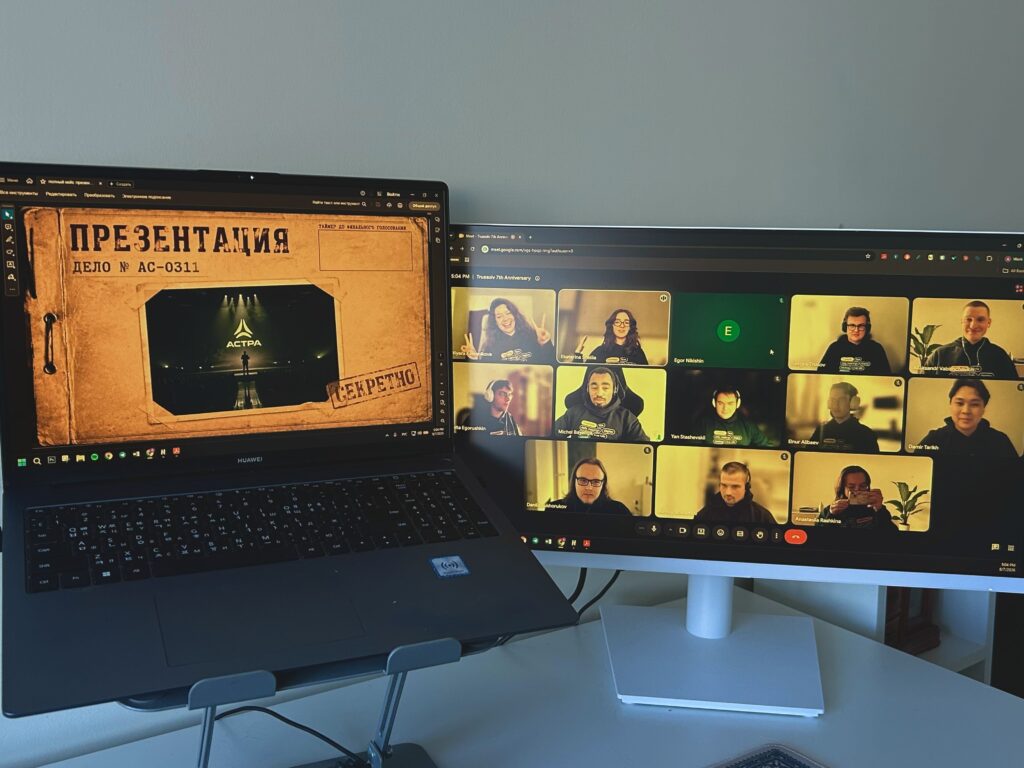
We are a distributed team across Tbilisi and Dubai, so there was never going to be one office with balloons taped to the ceiling. Instead, seven years got celebrated the way most of our workdays already happen — on a call, across time zones, and somehow still louder than expected. Here is what actually went down. TrueSolv — Year 7 Anniversary CallAugust 2026 · Full team · 1 video call 🎂7 years of Salesforce work 2countries on one call 3hours, no formal agenda 🇬🇪 Tbilisi, Georgia·🇦🇪 Dubai, UAE The format: games, not an agenda We made a deliberate decision not to structure the anniversary call around a retrospective deck or a metrics review. Seven years of those exist already. This one was structured around games, which turned out to be the right call. The format was loose: a full-team video call, a mix of people from both offices in the same frame, and three blocks of activity with no formal agenda between them. What we actually played The first block was company trivia — questions about the project history, the early years, the decisions that look obvious in retrospect and were genuinely uncertain at the time. The format was simple: a question, everyone answers, the person who gets it right gets to ask the follow-up question. Some questions were easy. Some were not. The one about which client project arrived with the strangest technical requirement — a Salesforce org that needed to track inventory for a museum, including items that had not been catalogued yet — produced a genuine debate about whether “null but billable” is a real data state. (The answer is yes, apparently, if the contract says so.) The second block was an online quiz platform — faster, more competitive, not limited to people who had been around long enough to know the company history. This levelled the playing field significantly and produced the discovery that our most competitive team member on a quiz platform is not the person anyone would have predicted. The third block was show-and-tell. Each person picked one thing from the past year — a project, a technical problem, a moment — and described it in two minutes. No slides. No preparation required. The two-minute constraint was the part that made it work: enough time to say something specific, not enough time to turn it into a presentation. Best moments from the anniversary callCompany trivia, unexpected answers, and the quiz that humbled some of us From company trivia 🏛️Which project had the strangest technical requirement?A museum inventory system that needed to track items that had not been catalogued yet. The resulting 20-minute discussion about whether “null but billable” is a valid CRM data state is now a recurring reference. 🤔What was the first Salesforce object we ever built a custom trigger for?Nobody got this right on the first guess. The people who joined in years 4 through 7 had to take it on faith that the answer was accurate. From the online quiz 🏆Most competitive team member on a quiz platformNot the person anyone would have predicted. They were very calm about winning. Suspiciously calm. 😐Highest-scoring moment in show-and-tell (informal)Someone sharing a debugging session where the bug turned out to be a missing comma in a JSON payload that took four hours to find. The room recognised it immediately. General observation 💡What a distributed team celebration actually isIt is not a party. It is a few hours where the work stops being the only thing people share. Seven years of that is a lot of shared context — and it turns out to be louder than expected when you put it all in one call. The part that is hard to describe to people who have not worked distributed A distributed team that has been working together for years accumulates shared context in a specific, gradual way. There are no hallway conversations. There are no off-the-cuff lunches. The shared context that builds in a co-located office — the running jokes, the inside references, the “you had to be there” stories — has to be built intentionally in a distributed one. What struck me about the anniversary call was how much of that context exists without anyone having planned it. Stories about the same project told from different angles by people who worked on it at different times. References to client situations that everyone understood without explanation. A team that has been doing good work together for long enough that the good work has become its own kind of shared language. That is not something you schedule into a company retrospective. It builds in the work, over time. Seven years is enough time to accumulate a lot of it. To everyone who has been part of this in any form — client, partner, or team member who moved on to something else — thank you. Seven years of this kind of work is not small. Follow us on LinkedIn and Instagram for more of what it is actually like working with a distributed Salesforce team. TrueSolvTeam CultureSalesforce Consulting7 Year Anniversary Share: LinkedIn Twitter / X Copy link In this article 01Games, not an agenda 02What we actually played 03Working distributed Anniversary call, at a glance 7 years of TrueSolv 2 countries, 1 call 3 game blocks, 0 slides About the Author DS Daria SavelievaSalesforce Consultant & Content Lead at TrueSolv
Salesforce Field History AI Readiness
An Agentforce agent grounded in your Salesforce data will give answers based on whatever your records contain. If a field was overwritten six weeks ago by a bad import, the agent does not know that. If a contact’s status was manually edited three times without a logged reason, the agent treats the current value as correct. Your AI is only as trustworthy as your data history. True Field History is how you know what your data actually is. Opportunity Field History — What the Agent Sees vs. What Actually Happened What the Agentforce agent sees CurrentOpportunity StageProposal SentLast changed: 18 days ago CurrentAmount$45,000No recent changes noted CurrentClose DateAug 31, 2026Set at opportunity creation Agent readAgent assessmentDeal progressing — moderate paceNo risk flags surfaced What the field history actually shows 8 days agoStage was moved backVerbal Commit → Proposal SentNo reason logged. Changed by rep. 12 days agoAmount was reduced$78,000 → $45,000No reason logged. Changed by rep. 15 days agoLast activity loggedEmail sent — no responseNo follow-up logged since RealityActual risk profileStage regression + amount cut + 15 days darkSignificant risk. Agent had no visibility into this. The agent saw three fields and assessed normal deal progression with no risk flags. The field history shows a stage regression, a significant amount reduction, and 15 days of no contact — all without logged reasons. The AI data trust problem most deployments skip When organisations deploy Agentforce, the configuration conversation focuses on agent topics, knowledge base grounding, escalation logic, and Trust Layer guardrails. These are the right things to configure. What most organisations underestimate is the quality and reliability of the data the agent is reasoning from. An Agentforce agent does not evaluate data quality. It does not flag uncertainty about data recency. It does not know that the contract end date on an account was changed two months ago from a correct value to an incorrect one during a data cleanup task that went wrong. It presents what it finds and reasons from it as if it is accurate. This is not an agent problem. It is a data problem that the agent makes visible in a new way: not as a messy CRM that someone will clean up eventually, but as an AI system that answers incorrectly right now. Three scenarios where field history and Agentforce intersect 💚Customer Health ScoringAgent reasons from activity fields Specific vulnerabilityLast Contacted fields edited by reps to satisfy KPIs or look better in pipeline reviews. Agent reads the edited date, computes recency, produces a health score built on fabricated history.→ Field history reveals: accounts where Last Contacted was manually edited without a corresponding logged activity. 📋Contract Renewal AgentAgent triggers from contract dates Specific vulnerabilityInformal renegotiations that change terms verbally but never update the contract end date in Salesforce. Agent fires renewal outreach at the original date for a contract already renegotiated.→ Field history reveals: contract end dates not updated despite account activity suggesting renegotiation. 📊Pipeline & Deal RiskAgent reasons from stage and amount Specific vulnerabilityStage regressions and Amount reductions with no logged reason. Agent sees current stage and amount, assesses normal progression, misses the risk pattern entirely visible only in the change log.→ Field history reveals: stage regressions, amount cuts preceding a stage change, patterns inconsistent with deal movement. Scenario 1: Customer health scoring agents A customer health scoring agent ingests activity data — last contacted date, meeting count, support ticket volume, product usage signals — and produces a health score or churn risk flag that surfaces in account management workflows. The specific vulnerability is in manually managed fields: Last Contacted date fields that can be edited by reps. True Field History exposes this pattern before the agent is grounded in it. Scenario 2: Contract renewal agents A renewal agent monitors contract end dates and triggers outreach at defined thresholds before expiration. The common failure mode is informal renegotiations where the AE updates pricing in a side document, verbally confirms new terms, but never updates the contract end date in Salesforce. The renewal agent fires at the original date, triggering outreach for a contract that was already renegotiated. A renewal audit using field history takes 20 minutes and catches this problem before the agent encounters it. Scenario 3: Pipeline and deal risk agents An agent surfacing deal risk and stage progression analysis needs Opportunity Stage and Amount fields to reflect current deal reality. These are two of the most commonly manipulated fields in Salesforce. An agent reviewing an Opportunity that shows Stage: Proposal Sent, Amount: $45,000, Last Stage Change: 3 weeks ago will flag that deal as progressing normally. If the actual history shows the Stage was at Verbal Commit 10 days ago before being moved back without a logged reason, the risk profile is completely different — and the agent has no way to know. The broader argument for a pre-AI field history audit The three scenarios above share a structural pattern: a field value that looks correct in the current record is unreliable because of how it arrived at the current value — overwritten, manually edited without reason, or changed in a way that is inconsistent with the surrounding activity log. None of these problems are visible by looking at the current record. All of them are visible in the field change history. A pre-AI deployment field history audit identifies which fields the agent will reason from, which of those fields have unreliable change histories, and what data quality remediation is needed before the agent is grounded in those fields. For a focused Agentforce deployment — an agent reasoning from a defined set of Account and Opportunity fields — the relevant field history can be reviewed and flagged in days. Pre-AI Deployment Field History AuditRun this before grounding any Agentforce agent in Salesforce data Map what the agent will reason from List the specific fields the agent will access for each topicEvery field in the agent’s grounding scope is a data quality risk. Make the list explicit before the audit — not all
Your QBR Ended. Did Anyone Actually Write Down What Was Decided in Salesforce?
A quarterly business review ends. The participants close their laptops. The Salesforce event gets marked complete. The action items — the ones that were verbally agreed, the ones someone typed into their notes app, the ones that should drive the next 90 days of the account relationship — exist somewhere between four people’s memory and a shared document nobody will open again. Three weeks later, the account is flagged at risk. True Event Scheduler adds one thing to every QBR, renewal call, and executive meeting in Salesforce: a closed loop. QBR Lifecycle: Without vs. With True Event Scheduler ✗ QBR without True Event Scheduler 1QBR held. Significant prep, two hours of executive time, meaningful conversation.Meeting 2Salesforce event marked “complete.” Note field: “QBR held — good conversation.” No outcome captured.Same day 3Action items from the call exist in four different places: two note apps, one email thread, one Slack message.Day 1 4Account flagged as potentially at risk. Executive asks: “What was the outcome of the QBR?” Nobody can produce a definitive answer.Day 21 5Follow-up call scheduled to clarify what was decided three weeks ago. Relationship friction.Day 25 No outcome in CRM. Executive time wasted twice. Account risk undetected for 3 weeks. ✓ QBR with True Event Scheduler 1QBR held. Same prep, same executive time, same conversation.Meeting 2AE marks event complete. Required outcome field prompts selection: account is “At Risk — pricing concerns raised.”Same day 3Outcome triggers automatic tasks: priority follow-up for CS lead within 24 hours, executive alert for the AE’s manager.Automatic 4CS lead completes follow-up call. Outcome updated. Account risk is actively managed from day one.Day 2 5Executive reviews QBR dashboard. Account visible as At Risk with follow-up confirmed complete. Full picture, no surprise.Day 7 Outcome captured. Risk visible immediately. Executive time invested once. The QBR accountability gap A quarterly business review is a high-stakes, high-cost interaction. The account executive prepared for two hours. The customer success manager pulled together a health report. Two executives — one from each side — gave up a slot in their calendar. The call took 45 minutes. A significant amount of information changed hands. And then the Salesforce event gets marked complete with a note that says “QBR held — good conversation.” No outcome captured, no follow-up assigned, no record of what was agreed. The investment that went into the call produced exactly zero actionable data in the CRM. This is not a people failure. It is a system failure. The system does not require an outcome before the event can be closed. So none of those things happen reliably. What True Event Scheduler adds for executive meetings Required outcome field before close An event record cannot be marked complete without an outcome selection. For QBRs, the outcome options reflect the actual result of the conversation — not the generic “call completed” that native Salesforce offers. Renewed, At Risk, Expanded, Deferred, Needs Executive Follow-Up. Marking the event complete takes 30 seconds. The outcome is captured at the moment when everyone’s memory of the call is freshest, not three days later when nobody can remember. Automatic follow-up task creation from outcome An At Risk outcome creates a priority follow-up task assigned to the CS lead within 24 hours. A Needs Executive Follow-Up outcome creates a task assigned to the AE with an escalation to their manager. An Expanded outcome creates a task to log the expansion opportunity and begin the proposal process. The tasks are created automatically based on what was decided — not what someone remembered to add later. The practical result: the decision made in the QBR room produces a task in Salesforce before the participants have left the building. Executive visibility dashboard A single view of every QBR across the account base: the meeting date, the outcome selected, the follow-up tasks created, and whether those tasks have been completed. An executive reviewing account health at the start of a quarter can see in one screen which QBRs resulted in risk flags, which produced expansion opportunities, and which have follow-ups that have been open for 45 days. QBR Outcome Options — True Event SchedulerRequired selection before the event can be marked complete RenewedCustomer confirmed renewal intent. Timeline and pricing agreed or close to agreed.→ Creates task: log renewal Opportunity and initiate contract process At RiskConcerns raised — pricing, product gaps, competitor evaluation, satisfaction issues. Renewal not confirmed.→ Creates priority CS follow-up task (24-hour window) and manager alert ExpandedCustomer expressed interest in additional seats, products, or features. Expansion opportunity identified.→ Creates task to log expansion Opportunity and begin proposal process DeferredRenewal decision pushed to a later date — budget timing, stakeholder change, internal process delay.→ Creates follow-up task with deferred timeline and reason captured in notes Needs Executive Follow-UpIssues raised that require escalation beyond the AE — executive sponsor alignment, commercial terms, strategic concerns.→ Creates task assigned to AE with escalation to their manager, flagged for executive review Why this matters more at larger deal sizes At $15,000 ACV, a missed follow-up after a QBR is a missed opportunity. At $120,000 ACV, a missed follow-up after a QBR is a potential churn event that costs more than a year of CRM subscription fees to recover from — if it is recoverable at all. The accountability gap that True Event Scheduler closes is present at every deal size. The consequence of that gap compounds with deal value. A single at-risk enterprise account that went 45 days without appropriate follow-up because the QBR outcome was never captured is a specific, calculable cost. ⚡ SalesforceAcme Corp — Q2 QBR → Complete Event Q2 2026 Quarterly Business ReviewTrue Event Scheduler Date and timeJune 25, 2026 · 10:00 AM – 10:50 AM AttendeesSarah M. (AE) · James K. (CS) · Client: VP Operations + Director of IT QBR Outcome * required to complete Renewed At Risk Expanded Deferred Needs Executive Follow-Up Outcome notes *Pricing concerns raised — client comparing against competitor at 20% lower cost. VP Operations supportive but IT Director mentioned budget review in August. Follow-up needed
Agentforce World Tour Boston 2026

Agentforce World Tour Boston happened on June 24 at the Hynes Convention Center. One full day, thousands of Salesforce customers, partners, developers, and admins, and a consistent message that came out of every session: the companies seeing real results from Agentforce are the ones that treated it as a workflow redesign, not a feature rollout. Here is what stood out and why it matters for the rest of 2026. 01Workflow first, agent secondEvery successful deployment in Boston case studies started with a specific painful workflow and built the agent around solving it — not the reverse.→ Start with the problem. The agent is how you solve it at scale. 02Data quality blocks everything upstreamEvery breakout session on Agentforce hit the same wall: outdated knowledge articles, inconsistent field population, product usage data never synced to CRM.→ Clean the data before building the agent. The gap is almost always upstream. 03Two agents before full orchestrationOrchestration sessions focused on the one-plus-one pattern: one primary agent, one specialist. Realistic first step before a full multi-agent build.→ Full orchestration comes after learning the single-agent failure modes. The deployment pattern that is actually working The Agentforce deployments generating real, demonstrable outcomes at Boston — the ones that made it into session case studies and partner showcases — had one structural thing in common: they started with a specific, painful workflow and built the agent around eliminating that pain. Not “we want to use Agentforce” and then a use case search. A specific problem, a defined success condition, an agent built to address both. The orgs that struggled described the opposite process. They had access to Agentforce, they had enthusiasm from leadership, and they started configuring agents before they had clearly defined what the agent was supposed to fix. The result was a technically functional agent that did not map to a meaningful business outcome — which, in practice, means it did not get adopted and did not get measured, so it could not be improved. Treat the first Agentforce deployment as a workflow redesign project that happens to produce an agent, not an AI project that happens to touch a workflow. The workflow is the thing. The agent is how you deliver the redesign at scale. Summer ’26 features in the room Multi-Agent Orchestration drew the most attention in the architecture and developer sessions. The pattern most discussed was not the full multi-agent system — which most attendees acknowledged they were not ready to build — but the simpler version: one primary agent with one specialist. A service agent that delegates billing questions to a billing specialist, handles the rest itself, and escalates complex cases to a human. That two-agent step before a full orchestration build is more realistic for teams deploying Agentforce for the first time. The Agentforce Self-Service live demos were notable for accuracy. Showing the 10-click setup in a real sandbox rather than a polished demo environment gave attendees a realistic view of what quick setup means — and what the knowledge grounding and topic configuration work looks like after the 10 clicks. The knowledge grounding sessions in particular were practical: the gap between “agent is activated” and “agent answers your specific questions accurately” is almost entirely a content gap, and Boston gave admins a concrete picture of how to close it. The data quality conversation, again This was the most consistent theme across breakout sessions regardless of the specific topic. Whether the session was about churn prediction agents, renewal automation, or sales qualification workflows, the technical blockers were almost always upstream of the agent itself. Outdated knowledge base articles that caused the agent to give stale product information. Inconsistent field population that made the account summary unreliable. Product usage data that was flowing to a data warehouse but never made it into Salesforce, so the agent could not see it. Integration users that had logged into Salesforce once during setup and never had their MFA enrolled, creating a credential problem on July 20 enforcement day. The point is not new — data quality as prerequisite to AI deployment has been said at every Agentforce event since launch. What Boston added is specificity: practitioners describing the exact gaps that blocked their specific workflows, and the order in which those gaps need to be closed. Looking forward: Dreamforce 2026, September 15–17 Platform Trajectory — Boston to Dreamforce 2026 (September 15–17) Platform Status — Late June 2026 ✅Multi-Agent Orchestration GA — available but most orgs still learning single-agent patterns before adopting orchestration ✅Agentforce Self-Service GA — 10-click setup available; knowledge grounding and topic tuning remain the primary post-setup work ✅Data 360 MCP Server in Developer Preview — early adopters experimenting; write-back and production access pending GA ✅Flow Orchestration free — included in Enterprise and above; first wave of adoption beginning ⚠️MFA enforcement approaching — July 1 and July 20 deadlines; admin preparation still in progress across the ecosystem What Dreamforce 2026 May Bring 🔮Orchestration reference patterns — Q1 of production deployments will produce validated architecture templates; DF26 typically codifies these into platform guidance 🔮Data quality tooling — Boston’s consistent data quality theme signals platform investment; expect metadata hygiene or Data Cloud enhancements addressing the upstream gap 🔮Enterprise integration layer — connecting Agentforce to non-Salesforce systems at scale is the next frontier after within-org orchestration 🔮Agent governance for regulated industries — compliance-grade audit trails for agent behaviour are the gap preventing regulated industry adoption; strong candidate for Winter ’27 preview at DF 📅Dreamforce 26 — September 15–17, 2026 Moscone Center, San Francisco Boston’s core message was practical, not aspirational: start with the workflow, keep the first deployment small, fix your data before your agent. The organisations that take that framing into Dreamforce will be in a meaningfully better position than the ones arriving with a blank slate. Agentforce World TourSalesforceAgentforceDreamforce 2026Salesforce Events Share: LinkedIn Twitter / X Copy link In this article 01The deployment pattern that works 02Summer ’26 features in the room 03Data quality — again 04Looking forward to Dreamforce Dreamforce 2026 Sep 15–17
Salesforce MFA Enforcement July 2026
Salesforce is not asking anymore. Starting July 1 in production, users who open a report will need to re-verify their identity even if they just logged in. By July 20, every internal user in every production org will need multi-factor authentication — not as a recommendation, but as a locked system setting that admins cannot disable. Five enforcement changes, three deadline dates, and zero tolerance for orgs that are not ready. Date What changes Who it affects July 1 Step-up MFA on every reportAny user who runs or views a report is prompted to re-verify identity, even after a recent login. All orgs, not Shield-only. All users who access reports. Users not enrolled in MFA are blocked at this step-up prompt — not just at login. July 1 Phishing-resistant MFA for privileged usersSystem Admins and users with Modify All Data, View All Data, or Manage Users must switch to hardware keys or passkeys. Authenticator apps no longer qualify. System Administrator profile users, plus anyone with Modify All Data, View All Data, or Manage Users via permission set — not just via profile. July 13 Transaction Security Policies auto-created for Shield orgsShield orgs without a custom export TSP get one auto-created for exports over 10,000 records. Shield-licensed orgs only. Orgs with existing export TSPs are unaffected. Auto-created policies may need review before this date. July 20 Full MFA locked for all internal usersSalesforce locks the MFA setting. Admins cannot disable it. Any user not enrolled is blocked from login entirely. All internal users in all production orgs. No exceptions, no grace period. Unenrolled users cannot log in after this date. July 20 MFA Opt Out permission stops workingThe self-service exemption permission for automation and integration users ceases to function. Integration users and automation service accounts currently using the opt-out permission. Must file a Salesforce Support case before July 20 for a supported exemption. Change 1: Step-up MFA on every report — July 1 From July 1, any user who runs or views a report in Salesforce is prompted to verify their identity again, even if they authenticated at login minutes earlier. This applies to all reports, not just exports, and not just Shield-licensed orgs. It is platform-wide. The practical impact on end users is a second prompt in their session flow when they access report functionality. Orgs with high report usage — sales dashboards, weekly pipeline reviews, regular operational reporting — should communicate this change to their users in advance. A verification prompt that appears without warning reads as a potential security incident to users who were not expecting it. The enrollment implication is more significant: any user who accesses reports and is not enrolled in an MFA method will be blocked at this step-up verification. Enrollment must be complete before July 1 for report-heavy users specifically, not just before July 20 for the general rollout. Change 2: Phishing-resistant MFA for privileged users — July 1 System Administrators and users with Modify All Data, View All Data, or Manage Users permissions must switch to a phishing-resistant authentication method by July 1. An authenticator app — the method most admins currently use — no longer qualifies for these privilege levels. Phishing-resistant methods at GA include hardware security keys compliant with FIDO2 (YubiKey and similar devices) and passkeys stored on a trusted device. Biometric authenticators on modern devices qualify when configured as passkeys. The action required for admins right now is an audit of which users hold elevated permissions in production. The Admin profile is obvious. The less obvious group is permission sets that grant Modify All Data, View All Data, or Manage Users without giving the System Administrator profile — these users are subject to the same requirement and are frequently missed in pre-enforcement preparation. Change 3: Transaction Security Policies for report exports — July 13 Shield-licensed orgs that do not have a custom Transaction Security Policy governing report exports will have one automatically created by Salesforce on July 13. The auto-created TSP applies to exports over 10,000 records and adds a verification step or block depending on the default configuration. Orgs with Shield that have already configured export TSPs are unaffected. Orgs with Shield that have not configured them should review the auto-created policy before July 13 and determine whether the default behavior is appropriate for their specific export patterns. Auto-created policies are a starting point, not a final configuration. Change 4: Full MFA for all internal users — July 20 On July 20, Salesforce locks the Multi-Factor Authentication setting in all production orgs. The setting cannot be disabled by an admin after this date. Any internal user who is not enrolled in an MFA method is blocked from logging in until enrollment is completed. What gets blocked if users are not enrolled on July 20: complete login block for any internal user without an enrolled MFA method. They cannot log in at all — not to read email, not to view their opportunities, not to run a report. The fix is to complete enrollment, which takes time that may not exist in the middle of a blocked login incident. The recommended approach is to complete enrollment for all internal users before July 13 — one week before the final deadline — to allow time to address any enrollment issues before the lock takes effect. Change 5: MFA exemption permission stops working — July 20 The MFA Opt Out of Multi-Factor Authentication permission, which some orgs have used to exempt automation users and integration service accounts from MFA requirements, stops functioning on July 20. Integration users and automation service accounts that use this permission for their login flow must be handled through an alternative path before the deadline. The supported path for integration and automation users who require a login flow incompatible with MFA is a Salesforce Support case filed before July 20, documenting the specific use case and requesting an exemption through the supported process. The self-service permission-based exemption will not be available after enforcement. ⚠What gets blocked —
Salesforce Flow Orchestration is Free in Summer 26
Flow Orchestration used to cost extra. Now it does not. Starting with Summer ’26, Flow Orchestration runs are included in Enterprise, Performance, Unlimited, and Developer editions without usage-based limits. If you ruled it out before because of the pricing, that calculation is gone. Here is what Flow Orchestration actually does, and why it is worth a fresh look. What Flow Orchestration actually is A regular Flow handles a trigger and a sequence of automated steps. It runs, completes, and is done — typically in seconds, with no pause for a human to weigh in partway through. Flow Orchestration is built for a different category of process: multi-step, multi-user business processes that require coordination across people, systems, and time. The work needs to pause, wait for a specific person to make a decision, branch based on that decision, and continue — all in a monitored, auditable way, potentially over hours, days, or weeks. The distinction matters because many processes that orgs currently handle through a combination of email, manual task assignment, and someone remembering to follow up are exactly the kind of process Orchestration is built for. The reason most orgs have not built these in Salesforce is that Orchestration previously carried a usage-based cost that made it hard to justify for internal process automation rather than customer-facing workflows. Characteristic Regular Flow Flow Orchestration Duration Runs and completes in seconds. No pause for human input mid-process. Can span hours, days, or weeks — pauses at human steps and resumes when action is taken. Human involvement Limited to triggering the flow or responding to a single approval step bolted on separately. Built-in stages where specific people are assigned tasks, make decisions, and the process branches based on their input. Visibility No persistent status view. Once running, you cannot easily see “where” the flow currently is. Defined stage model — anyone can see which stage a process instance is currently in and who owns it. Multi-department coordination Difficult — typically requires chaining multiple flows and manual handoffs between departments. Native — parallel and sequential stages across different teams with a single coordinated process instance. Best for Record updates, notifications, single-step automations, data validation, immediate actions triggered by a record change. Onboarding processes, approval chains, multi-department workflows — anything where “who does this next and when” is the core challenge. Cost (Summer ’26) Included in all editions, as always. Now free Included in Enterprise, Performance, Unlimited, and Developer editions — no usage-based limits. A simple orchestration, structurally The shape of an orchestration is consistent regardless of the specific process: a system step does something automatically, a human step pauses and waits for a person to act, the orchestration branches based on what that person decided, and the process continues — potentially with more human steps, more branches, and a final system step that records the outcome. A Simple Flow Orchestration — Four Stages Stage 1 System action e.g. create record AUTOMATED Stage 2 Human approval Manager reviews and decides PAUSES & WAITS Stage 3 System action e.g. update fields AUTOMATED Stage 4 Branch → Approved path → Rejected path OUTCOME RECORDED Status, owner, and stage are visible to anyone checking on the process — not just whoever is currently assigned. What makes this different from a Flow with an Approval Process attached is the structure and visibility. Orchestration gives you a defined stage model — each stage has a clear owner, a clear set of possible outcomes, and a status that is visible to anyone checking on the process, not just the person whose turn it currently is. For processes spanning multiple departments, that visibility is often the missing piece. Three workflows worth building now that it is free New employee onboarding across IT, HR, and the hiring manager Onboarding touches multiple departments with sequential and parallel dependencies: IT needs to provision accounts, HR needs to complete paperwork, the hiring manager needs to prepare the first-week schedule, and some of these steps depend on others completing first. An orchestration can sequence IT provisioning after HR confirms the start date, run HR paperwork and manager prep in parallel, and surface a single status view to whoever is coordinating the new hire’s first day. The alternative — the current state at most orgs — is a checklist in a shared document and a series of Slack messages asking whether each step is done yet. Orchestration replaces the asking with visibility. Contract approval chain with parallel legal and finance review A contract above a certain value needs review from legal and finance before it reaches an executive for final sign-off. Legal and finance review can happen in parallel — neither depends on the other — but the executive sign-off step depends on both being complete. Orchestration models this directly: a parallel stage for legal and finance, a convergence point that waits for both to complete, then a sequential executive approval stage. The audit trail shows who reviewed what and when, without anyone needing to track it manually. Deal desk workflow for non-standard pricing approvals Non-standard pricing requests — discounts above a threshold, custom payment terms, non-standard contract clauses — typically need sign-off from sales leadership, finance, and sometimes RevOps, in an order that depends on the specific request. An orchestration can route the request to the right combination of approvers based on the deal characteristics, track where it currently sits, and notify the rep when a decision is made. The business value here is speed: deal desk requests that currently take days because they sit in someone’s inbox move faster when the orchestration actively routes and tracks them, and the rep has visibility into where the holdup is rather than just waiting. 3 Workflows Worth Building Now That Orchestration Is FreeProcesses most orgs currently run on email, shared docs, and hoping someone follows up 👋New employee onboardingIT provisioning, HR paperwork, and hiring manager prep — sequenced and parallelised with a single status view for whoever is coordinating the new hire’s first day.Stages: HR confirms start date
Salesforce Data 360 MCP Server Is in Developer Preview
On May 26, Salesforce announced that the Data 360 MCP Server is now in Developer Preview. The idea is direct: every piece of data in your Salesforce Data Cloud is now reachable by any AI agent that speaks Model Context Protocol. Your CRM context, unified customer profiles, real-time data streams — accessible from Claude Code, Cursor, or any MCP-compatible agent tool without writing a custom API wrapper. Data 360 MCP Server — How Data Cloud Connects to AI Agents Salesforce Data Cloud • Unified customer profiles • Audience segments • Calculated insights • Data streams • Identity resolution exposes Data 360 MCP Server Developer Preview Trust Layer protected tool calls MCP-compatible AI agents Claude Code Cursor / Codex Agentforce Studio Custom MCP clients Any agent that speaks MCP No custom API wrapper required. Data arrives through the same trust layer as other Agentforce data access. What the Data 360 MCP Server actually exposes The server gives AI agents structured access to Data Cloud data — unified customer profiles, audience segments, data streams, calculated insights, and identity resolution outputs. These are the data objects that previously required SOQL-like queries against the Data Cloud query engine or custom API development to surface. Through the MCP interface, an agent can retrieve a unified customer profile by identity, query segment membership for a specific individual, pull calculated insight values for an account, or read real-time data stream events — using the same tool-call pattern it would use to interact with any other MCP server, without learning a proprietary API. The significance is in the combination. An agent building a renewal recommendation previously had access to Salesforce CRM data — the account record, the opportunity history, the activity log. What it did not have was the Data Cloud layer: the calculated health score from product usage, the segment membership that reflects behavioural patterns, the cross-channel identity resolution that unifies how the same customer appears across touchpoints. The Data 360 MCP Server adds that layer. Why this changes how agents reason The practical difference between an agent with CRM access and an agent with CRM plus Data Cloud access is the difference between structured records and contextualised customer intelligence. An agent reviewing a renewal opportunity can currently see: account name, ACV, contract end date, last activity log, open support tickets. With the Data 360 MCP Server, that same agent can also see: the customer’s health score calculated from product usage patterns, their segment membership indicating they are in a high-churn-risk cohort, and their identity resolution confirming that two separate records in the CRM are the same individual. Because the data arrives through the MCP interface with the same trust layer protections as other Agentforce data access, the agent’s data handling governance applies uniformly — no separate security configuration needed for the Data Cloud layer. What is available in Developer Preview vs. what is coming Capability Available in Developer Preview Expected at GA Unified customer profile retrieval ✓ Query by identity, return full profile with attributes — Audience segment membership ✓ Query segment membership for a specific individual or account — Calculated insights reads ✓ Return health scores, propensity scores per record — Identity resolution queries ✓ Cross-reference unified identity across touchpoints — Data stream reads ✓ Basic event stream data — subject to Data Cloud sync latency Real-time streaming subscriptions Write-back to Data Cloud ✗ Not yet available Agents will be able to update Data Cloud records based on reasoning output Complex data stream subscriptions ✗ Not yet available Subscribe to data stream events as part of agent trigger logic Production org access ✗ Developer Edition orgs with Data Cloud only Full production org access at GA Developer Preview gives access to the core unified profile retrieval, segment queries, and calculated insight reads. The key constraint is data freshness: Data Cloud data surfaces through the MCP Server with the same refresh latency as the underlying Data Cloud sync. For most use cases this is acceptable. For agents reasoning about real-time events, it is worth understanding the lag characteristics of your specific data streams before building workflows that depend on sub-second freshness. Developer Preview access path Data 360 MCP Server — Developer Preview Access Path4 steps 1Confirm your org has Data Cloud enabledDeveloper Edition orgs with Data Cloud access qualify for Developer Preview. If you do not have a Data Cloud-enabled org, spin up a Developer Edition at developer.salesforce.com — the fastest path to experimenting. 2Enable the Data 360 MCP Server in SetupOpen Setup → search for MCP Servers. The Data 360 MCP Server appears in the available server list for Developer Preview-enrolled orgs. Enable it and configure which agents have access to which data objects.Setup → MCP Servers → Data 360 MCP Server → Enable 3Connect an MCP-compatible clientClaude Code, Cursor, Agentforce Studio, or any MCP-compatible development environment can connect once the server is enabled. The server returns a tool manifest — no custom authentication code required beyond the standard MCP handshake. 4Test with a unified profile retrievalPull a known profile by ID, confirm the MCP Server returns the same data as the Data Cloud UI, and verify that segment membership and calculated insights are included in the response. This confirms the data path is working before building agent logic on top of it. Developer Preview is the right time to experiment, not the right time to build production workflows. Map your architecture, test your data access patterns, and identify what works before GA removes the preview caveats. The orgs that move through this now will deploy faster when GA lands. Data 360MCPData CloudSalesforce DevAgentforce Share: LinkedIn Twitter / X Copy link In this article 01What it exposes 02Why it changes agent reasoning 03Preview vs. GA capabilities 04Access path — 4 steps Developer Preview status Unified profilesQuery by identity — live Segment membershipPer individual — live Calculated insightsHealth scores — live Write-backExpected at GA Production orgsDev Edition only now Quick access path 1️⃣Enable Data Cloud in org 2️⃣Setup → MCP Servers → Enable 3️⃣Connect MCP
Salesforce Summer 26 Release Features

Salesforce announced Summer ’26 on May 11 and set the general availability date for June 15. The headline: 17 major capabilities, all pointing in one direction. Agentforce is no longer a feature layer on top of the platform. In Summer ’26 it is becoming the operating layer underneath everything else. Here is what actually landed and what it means for your org. Salesforce Summer ’26 — Five Changes That Shape the Platform 🤝Multi-Agent OrchestrationAgents delegate to specialist agentsOne customer-facing contact point, multiple specialist agents working behind the scenes. Triage → delegate → coordinate — without the customer switching interfaces.GA — Summer ’26 ⚡Agentforce Self-ServiceHelp Agent in 10 clicks or fewerDeploy a Help Agent to your public website, Portal, or WhatsApp in a guided setup — designed for teams who want to trial Agentforce without a multi-week implementation.GA — Summer ’26 🛡️Security MeshUnified security fabric + risk scoringDisconnected security alerts across Service Cloud, Sales Cloud, and Experience Cloud unified into a single fabric with AI-generated risk scores. Agentforce activity included.GA — Summer ’26 🔄Flow Orchestration — FreeIncluded in Enterprise and aboveFlow Orchestration moves from a usage-limited add-on to included in Enterprise, Performance, Unlimited, and Developer editions. No usage caps, no add-on cost.Now included 📊Tableau over Model Context ProtocolAnalytics engine exposed to Agentforce agentsTableau’s analytics engine is now reachable by Agentforce agents over MCP, protected by the Agentforce Trust Layer. Agents can query revenue trends, spend analytics, and historical reports as part of their reasoning — without requiring a human to pull the report first. Closes the gap between CRM data and the BI layer.GA — Summer ’26 Multi-Agent Orchestration For most of Agentforce’s history, an agent was a single system handling a single domain. A service agent answered product questions. A sales agent qualified leads. Each worked independently and each required its own configuration. Multi-Agent Orchestration changes that architecture. Agents can now delegate tasks to specialist agents within the same org. One customer-facing contact point, multiple agents working behind the scenes: a triage agent receives the request, determines which specialist — a billing agent, a technical support agent, a returns agent — should handle it, delegates the task, and coordinates the result back to the customer without the customer ever switching interfaces. The practical implication for orgs with complex service or sales workflows is that you can build specialist agents for distinct domains and let orchestration handle the coordination, rather than trying to build one agent that knows everything. Simpler individual agents, more reliable outcomes at the orchestration level. For developers, the build model changes too. Agent teams can be tested and deployed independently. Failures in one specialist agent are contained rather than cascading through the entire interaction. Agentforce Self-Service The barrier to deploying an Agentforce Help Agent drops significantly in Summer ’26. Agentforce Self-Service is a setup path that gets a Help Agent deployed in 10 clicks or fewer — configured, grounded in your knowledge base, and ready to go on your public website, the new Portal experience, or WhatsApp. The positioning is explicit: Salesforce is targeting the orgs that have heard about Agentforce but found the implementation path too complex for their team size or technical capacity. Self-Service is designed to remove that barrier without removing the ability to customise later. For admins at smaller orgs who have been waiting for a way to trial Agentforce without a multi-week implementation project, this is the most directly actionable Summer ’26 announcement. For larger orgs, the Self-Service path is worth understanding as a rapid prototyping route before committing to a full agent build. Security Mesh Security Mesh unifies data sources across the Salesforce platform into a single security fabric and transforms disconnected access logs and alerts into intelligent risk scores. Instead of reviewing separate security events across Service Cloud, Sales Cloud, and Experience Cloud independently, Security Mesh provides a unified view with AI-generated risk assessment. The practical value for compliance-minded orgs is in audit efficiency. Security events that previously required cross-referencing multiple tools to understand their combined significance are now surfaced as correlated risk signals. Additionally, Security Mesh integrates with the Trust Layer that governs Agentforce agents, meaning agent activity is included in the unified risk picture rather than existing as a separate data source. Flow Orchestration now free Flow Orchestration moves from a usage-limited add-on to an included feature in Enterprise, Performance, Unlimited, and Developer editions without usage-based limits. This removes the licensing conversation from any multi-step process automation project. The timing is intentional. As Agentforce agents become more common in Salesforce orgs, the need to coordinate complex multi-step workflows across agents, humans, and systems increases. Flow Orchestration is the tooling that handles that coordination on the Salesforce side. Making it free removes the last friction point from adopting it broadly. For orgs that evaluated Flow Orchestration and passed because of cost, Summer ’26 is the time to revisit any approval workflows, cross-department handoff processes, or multi-system coordination tasks that are currently running on manual steps or basic Flow. Tableau over Model Context Protocol Tableau’s analytics engine is now exposed to Agentforce agents over the Model Context Protocol, protected by the Agentforce Trust Layer. An agent reasoning about a customer renewal can query Tableau for historical revenue trends. An agent managing a procurement workflow can pull spend analytics directly from the BI layer without requiring a human to run the report first. For data-heavy orgs, this is the most architecturally significant Summer ’26 addition after Multi-Agent Orchestration. It closes the gap between Salesforce CRM data — which agents have had access to — and the analytical layer that lives in Tableau but has been outside the agent’s reach. Role Most relevant Summer ’26 feature What to do now Admin Agentforce Self-Service lowers the barrier to deploying a Help Agent to your website or Portal. Flow Orchestration now free removes the licensing blocker for multi-step approval workflows. Explore Try the Self-Service setup in a sandbox. Identify one approval workflow worth rebuilding in Flow Orchestration now that cost is not a
Salesforce Time Tracking Sales
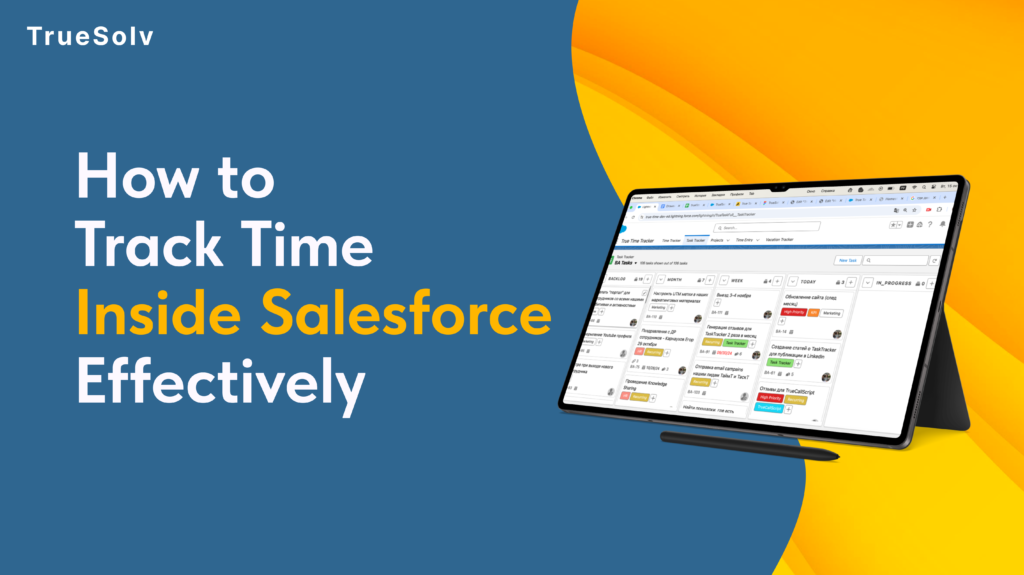
A sales manager can tell you the quota number for every rep on their team. Ask them how many hours per week those reps spend on actual selling versus admin work, meetings, and CRM updates — and the answer is usually a guess. The gap between what managers think their team is doing and what they are actually doing is where revenue goes quietly missing. True Time Tracker closes that gap, inside Salesforce, without a new tool, a new login, or a new workflow. Actual selling: 27% Typical B2B Sales Rep Time Split Actual selling activity27% Admin work and CRM updates28% Internal meetings19% Non-selling email and comms17% Other (travel, training, etc.)9% Source: Salesforce “State of Sales” research benchmarks. Your team’s split may vary — that is exactly the point. Why this gap exists at the 20 to 50-person stage At 10 people, a sales manager knows what every rep is doing because they are next to them. At 20 to 50 people, that changes. Reps are distributed, partially remote, or simply moving fast enough that day-to-day time patterns are invisible to leadership. Most sales tools track outcomes — deal value, close rate, pipeline stage. None of them track inputs in a way that is actionable. Pipeline reports tell you what happened. Time data tells you why it happened and what is likely to happen next. Without time visibility, the only lever a manager has when results are underperforming is to ask the rep what they think the problem is. That is a useful conversation but not a reliable diagnostic. Three decisions that become better with actual time data Account coverage Time allocation visibility lets managers see the full picture: a rep spending 14 hours a week on three legacy accounts — accounts that are renewing at stable rates and require minimal active management — while high-potential accounts get two hours each. The result shows up in pipeline three months later, not in this week’s activity log. With time data in Salesforce, the conversation changes from “why are these deals not progressing” to “let us look at where the time is going and redistribute it deliberately.” That is a more productive conversation with a more actionable outcome. Coaching conversations Most coaching conversations in sales are about results: close rate, pipeline coverage, deal velocity. These are lagging indicators. They tell you what already happened. Time patterns are leading indicators. A rep spending 60 percent of their selling time on proposals and zero time on prospecting will have an empty pipeline in six weeks. A rep who has not had a discovery call with a new prospect in 14 days is building the same problem. Time data surfaces these patterns before the pipeline report does. Headcount decisions Before hiring the next sales rep, most companies look at pipeline coverage and close rates. The more direct question is: how are current reps actually spending their time, and where are they constrained? If reps are spending three hours a day on admin that could be automated or systematised, the capacity problem is not a headcount problem. If they are spending all available hours on active selling and the pipeline still cannot grow, it is. Time data makes the distinction visible before a hiring decision is made. Decision Without time visibility With True Time Tracker Account coverage Manager asks rep why deals are not progressing. The real issue — hours disproportionately allocated to low-ARR accounts — is invisible. Manager sees actual time per account vs ARR per account. Reallocation conversation is data-driven: “You spent 14 hours on these three accounts. Here is what the time looks like vs revenue potential.” Rep coaching Coaching is based on close rate, pipeline coverage, deal velocity — lagging indicators. Manager reacts to what already happened. Coaching is based on time patterns — leading indicators. Rep spending 60% of time on proposals and 0% on prospecting will have an empty pipeline in 6 weeks. Manager can see and address this now. Capacity planning Headcount decision based on pipeline coverage and close rates. Team looks busy. Manager hires another rep. Productivity problem continues. Time data shows reps spending 3 hours/day on admin that could be systematised. Bottleneck is process, not people. Automation before hiring saves the cost of a rep. Pipeline forecasting Manager estimates based on rep self-reporting. Forecast accuracy is moderate at best and degrades as the quarter progresses. Time patterns on high-value accounts are a leading indicator of deal velocity. Time data improves forecast input quality before the pipeline report catches up. How True Time Tracker works inside Salesforce True Time Tracker logs time natively inside Salesforce, against the records that time relates to: Opportunities, Accounts, Activities, or custom objects. Reps log time in the same interface they use to update deals. Managers see time data in dashboards alongside pipeline data, without switching tools. The most common objection to time tracking is rep resistance — a perception that it is surveillance rather than a management tool. True Time Tracker addresses this by making the data visible to the rep as well as the manager. Reps can see their own time patterns, which is often the most effective way to surface inefficiencies that they were not aware of. Three questions True Time Tracker answers that your pipeline report cannot Pipeline reports track results. Time data tracks what produces them. 1Are my reps spending time on the right accounts?Time per account vs ARR per account reveals coverage misalignment immediately. High-potential accounts receiving low time allocation show up clearly — weeks before the missed deal shows up in pipeline.Pipeline report answer: “Here are the deals and their stages.” — Not useful for spotting coverage problems. 2What is actually taking up my reps’ selling time?If a rep’s capacity is constrained, the question is whether it is constrained by selling activity or by admin and meetings. Time data gives you that breakdown. The intervention is different depending on the answer.Pipeline report answer: “The rep has 12 open opportunities.” — Does not tell you why