Time Tracking Salesforce App for Teams Who Bill by the Hour

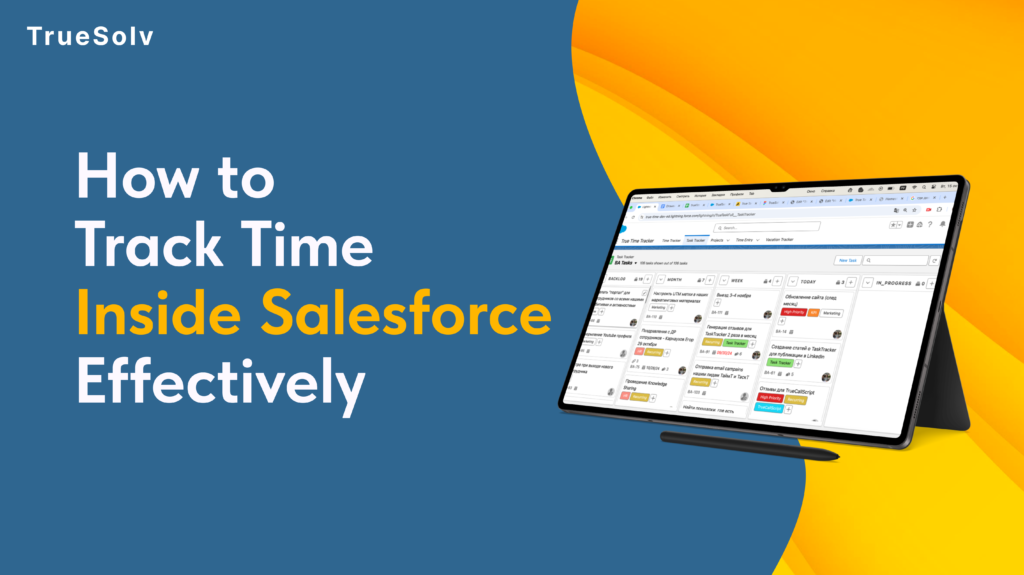
The plan is in Salesforce. The reports are in Salesforce. The hours still don’t add up. A time tracking Salesforce app closes that gap by logging hours straight against the project, client, or case record the team already works from, so nothing gets guessed at the end of the week or copied over from another tool later. OUTSIDE SALESFORCE Spreadsheet Sticky note Guesswork True Time Tracker SALESFORCE Project & task hours Client hours & billing Vacation & holidays Every hour logged once, right where the record already lives. Three disconnected tools — one clean Salesforce record. Three tools that never agreed on the same number Most teams don’t actually lack a time tracking system. They have three or four of them, and none talk to Salesforce. A shared spreadsheet nobody fully trusts. A sticky note on someone’s monitor. A message that says “put me down for six hours on the Meridian account” sent from memory two days after the work happened. Every one of these lives outside the CRM, which means every hour logged there has already drifted from what actually happened. That drift moves in one direction, and it’s the wrong one. A project lead pulls a report from Salesforce expecting it to reflect reality and finds hours that were rounded up, rounded down, or simply estimated. Staffing decisions get made off numbers nobody fully believes, and the next project gets resourced on a picture of the last one that was never quite accurate to start with. How True Time Tracker works True Time Tracker removes the extra tool from that equation entirely. Hours get logged on tasks, projects, and clients directly inside Salesforce, right next to the records they describe, with no second login and no end-of-week reconstruction. What comes with it ⏱Hours logged straight against the task, project, or client record — no separate system to check, no copy-paste at the end of the week 📁Project and client details managed in one place, so nothing gets duplicated elsewhere and the report you pull on Friday matches the hours logged on Monday 📅Vacation and holiday days tracked alongside billable time, for a full picture of team capacity — not just who worked, but who was actually available 🔗Jira and GitLab activity connected in, so development work doesn’t need to be logged twice — it comes in from the tool where it was already recorded What this looks like in practice Picture a five-person consulting team billing three clients a week. Without a native tool, hours sit in a spreadsheet until Friday, get typed into Salesforce from memory, and rarely match the invoice a client eventually questions. With True Time Tracker, every hour is logged the moment the work happens, tied to the right client record, and ready for a report that same afternoon instead of the following Monday. The hours were always real. Now the record of them is too. Book a walkthrough of True Time Tracker through our contact form, and follow TrueSolv on LinkedIn and Instagram for more Salesforce tools built around how services teams actually work. SalesforceTrue Time TrackerTime TrackingSalesforce ToolsCRM Automation Share: LinkedIn Twitter / X Copy link In this article 01Three tools that never agreed 02How True Time Tracker works 03What this looks like in practice Hours still guessed at end of week? True Time Tracker logs hours straight against the Salesforce record the moment work happens. Book a walkthrough → What’s included ⏱Hours against tasks, projects, clients 📁Project & client in one place 📅Vacation + billable time together 🔗Jira & GitLab connected in About the Author DS Daria SavelievaSalesforce Consultant & Content Lead at TrueSolv
Salesforce Time Tracking Sales
A sales manager can tell you the quota number for every rep on their team. Ask them how many hours per week those reps spend on actual selling versus admin work, meetings, and CRM updates — and the answer is usually a guess. The gap between what managers think their team is doing and what they are actually doing is where revenue goes quietly missing. True Time Tracker closes that gap, inside Salesforce, without a new tool, a new login, or a new workflow. Actual selling: 27% Typical B2B Sales Rep Time Split Actual selling activity27% Admin work and CRM updates28% Internal meetings19% Non-selling email and comms17% Other (travel, training, etc.)9% Source: Salesforce “State of Sales” research benchmarks. Your team’s split may vary — that is exactly the point. Why this gap exists at the 20 to 50-person stage At 10 people, a sales manager knows what every rep is doing because they are next to them. At 20 to 50 people, that changes. Reps are distributed, partially remote, or simply moving fast enough that day-to-day time patterns are invisible to leadership. Most sales tools track outcomes — deal value, close rate, pipeline stage. None of them track inputs in a way that is actionable. Pipeline reports tell you what happened. Time data tells you why it happened and what is likely to happen next. Without time visibility, the only lever a manager has when results are underperforming is to ask the rep what they think the problem is. That is a useful conversation but not a reliable diagnostic. Three decisions that become better with actual time data Account coverage Time allocation visibility lets managers see the full picture: a rep spending 14 hours a week on three legacy accounts — accounts that are renewing at stable rates and require minimal active management — while high-potential accounts get two hours each. The result shows up in pipeline three months later, not in this week’s activity log. With time data in Salesforce, the conversation changes from “why are these deals not progressing” to “let us look at where the time is going and redistribute it deliberately.” That is a more productive conversation with a more actionable outcome. Coaching conversations Most coaching conversations in sales are about results: close rate, pipeline coverage, deal velocity. These are lagging indicators. They tell you what already happened. Time patterns are leading indicators. A rep spending 60 percent of their selling time on proposals and zero time on prospecting will have an empty pipeline in six weeks. A rep who has not had a discovery call with a new prospect in 14 days is building the same problem. Time data surfaces these patterns before the pipeline report does. Headcount decisions Before hiring the next sales rep, most companies look at pipeline coverage and close rates. The more direct question is: how are current reps actually spending their time, and where are they constrained? If reps are spending three hours a day on admin that could be automated or systematised, the capacity problem is not a headcount problem. If they are spending all available hours on active selling and the pipeline still cannot grow, it is. Time data makes the distinction visible before a hiring decision is made. Decision Without time visibility With True Time Tracker Account coverage Manager asks rep why deals are not progressing. The real issue — hours disproportionately allocated to low-ARR accounts — is invisible. Manager sees actual time per account vs ARR per account. Reallocation conversation is data-driven: “You spent 14 hours on these three accounts. Here is what the time looks like vs revenue potential.” Rep coaching Coaching is based on close rate, pipeline coverage, deal velocity — lagging indicators. Manager reacts to what already happened. Coaching is based on time patterns — leading indicators. Rep spending 60% of time on proposals and 0% on prospecting will have an empty pipeline in 6 weeks. Manager can see and address this now. Capacity planning Headcount decision based on pipeline coverage and close rates. Team looks busy. Manager hires another rep. Productivity problem continues. Time data shows reps spending 3 hours/day on admin that could be systematised. Bottleneck is process, not people. Automation before hiring saves the cost of a rep. Pipeline forecasting Manager estimates based on rep self-reporting. Forecast accuracy is moderate at best and degrades as the quarter progresses. Time patterns on high-value accounts are a leading indicator of deal velocity. Time data improves forecast input quality before the pipeline report catches up. How True Time Tracker works inside Salesforce True Time Tracker logs time natively inside Salesforce, against the records that time relates to: Opportunities, Accounts, Activities, or custom objects. Reps log time in the same interface they use to update deals. Managers see time data in dashboards alongside pipeline data, without switching tools. The most common objection to time tracking is rep resistance — a perception that it is surveillance rather than a management tool. True Time Tracker addresses this by making the data visible to the rep as well as the manager. Reps can see their own time patterns, which is often the most effective way to surface inefficiencies that they were not aware of. Three questions True Time Tracker answers that your pipeline report cannot Pipeline reports track results. Time data tracks what produces them. 1Are my reps spending time on the right accounts?Time per account vs ARR per account reveals coverage misalignment immediately. High-potential accounts receiving low time allocation show up clearly — weeks before the missed deal shows up in pipeline.Pipeline report answer: “Here are the deals and their stages.” — Not useful for spotting coverage problems. 2What is actually taking up my reps’ selling time?If a rep’s capacity is constrained, the question is whether it is constrained by selling activity or by admin and meetings. Time data gives you that breakdown. The intervention is different depending on the answer.Pipeline report answer: “The rep has 12 open opportunities.” — Does not tell you why
Agent Script: The Layer Between AI Flexibility and Enterprise Control

The biggest complaint about AI agents in production has always been the same: they work great in demos and go off-script in real deployments. Salesforce heard that complaint and built Agent Script — a scripting language that lets you define exactly how an agent behaves, step by step, without giving up the flexibility that makes AI useful. Here is what it is, how it works, and why it changes the calculus on Agentforce adoption. Agent Behaviour: Without vs. With Agent Script WITHOUT Agent Script — probabilistic path WITH Agent Script — deterministic rails User request Path A Path B Path C Outcome depends on reasoning and conversation flow ⚠ Risk: agent may skip required verification if the user’s phrasing is persuasive or impatient User request Identity verified REQUIRED STEP — Agent Script AI handles response Verification tool call must return confirmed — no bypass ✓ Deterministic: required steps always execute AI reasoning operates within defined rails The problem Agent Script was built to solve AI agents are probabilistic systems. Give an agent a task and it reasons toward an outcome — evaluating options, choosing actions, interpreting ambiguous inputs — in a way that is flexible and often impressive but never fully predictable from the instruction set alone. For customer service, sales qualification, and internal help desk use cases, that flexibility is valuable. The agent can handle variations in how a question is asked, adapt to unexpected inputs, and reach correct outcomes through different reasoning paths. However, for enterprise deployments where specific steps must happen in a specific order — identity verification before account access, compliance disclosure before a financial recommendation, escalation to a human at a specific deal stage — probabilistic behaviour is a blocker, not a feature. The question is not whether the agent gets to the right answer. It is whether it follows the required path to get there. How Agent Script works Agent Script adds a deterministic layer on top of the AI reasoning layer. You define the fixed logic in a human-readable JSON expression language — the if/then rules, the required tool calls, the handoff triggers, the compliance checkpoints — and the LLM handles the conversational reasoning in between the defined steps. The mental model is a set of rails. Between the rails, the agent reasons freely and handles variation naturally. At the defined points on the rails, the behaviour is fixed: the agent must perform a specific action, verify a specific condition, or hand off to a specific resource before it can continue. Agent Script — identity verification before account access Simplified example // Step 1: Required identity verification // Agent cannot proceed until this returns “verified” { “step”: “verify_identity”, “type”: “required_tool_call”, “tool”: “IdentityVerificationService”, “condition”: { “result”: “verified” // must match — no bypass } } // Step 2: AI handles the response conversation // LLM reasoning operates freely here { “step”: “handle_account_query”, “type”: “llm_reasoning”, “context”: “account_data”, “guardrails”: [“no_pii_in_response”] } // Step 3: Handoff trigger if deal threshold met { “step”: “check_escalation”, “if”: { “deal_value”: { “$gt”: 50000 } }, “then”: { “action”: “handoff_to_human”, “queue”: “senior_sales_rep” } } Between the defined steps, the AI reasons freely. At the defined steps, the behaviour is fixed — the agent cannot proceed without completing the required action. The distinction from a traditional decision tree is important. Agent Script is not replacing AI reasoning with a flowchart. It is constraining the parts of the interaction where constraint is required while leaving the parts where AI is valuable free to operate as designed. Practical examples Customer service agent with identity verification Without Agent Script: The agent is instructed to verify identity before accessing account data. Whether it follows that instruction precisely depends on how the conversation goes — a persuasive or impatient customer might cause the agent to skip or abbreviate the step. With Agent Script: Identity verification is a defined step in the script. The agent cannot proceed to account lookup until the verification tool call returns a confirmed result. The LLM handles the conversation around verification, but the verification itself is not optional. Sales qualification agent with human handoff Without Agent Script: The agent is instructed to hand off to a human sales rep when a qualified opportunity reaches a specific threshold. Whether it recognises the threshold correctly depends on its interpretation of the conversation. With Agent Script: The handoff trigger is defined explicitly. When the deal value field exceeds the threshold, or when the prospect uses specific phrases indicating high purchase intent, the agent executes a defined handoff action to the Salesforce queue. The LLM does not decide whether the handoff happens; the script does. Integration with Agentforce Builder Agent Script integrates with Agentforce Builder — the conversational build environment introduced in Spring ’26. Admins and developers write Agent Script in the Builder interface alongside the natural language instructions that govern the agent’s conversational behaviour. The separation of concerns in the build environment mirrors the separation in the runtime: conversational behaviour is configured in natural language, deterministic controls are written in Agent Script. Neither replaces the other. Additionally, Agent Script was open-sourced at TDX 2026. The full specification, parser, and compiler are on GitHub. For compliance teams and legal teams who need to understand and audit agent behaviour independently of the vendor, this is significant: Agent Script is a readable, auditable format that does not require Salesforce expertise to understand the logic. Who needs Agent Script now, and who can wait Use case type Determinism non-negotiable Pure AI reasoning is fine Customer service — account access Identity verification must precede account lookup without exception. Agent Script enforces the required step regardless of conversation flow. Handling FAQ questions that do not involve personal data — product information, store hours, general policies. Financial services Regulatory disclosures must be delivered before a product recommendation. Compliance checkpoints cannot be skipped regardless of conversation length. Summarising publicly available market information with no personalised recommendation required. Sales qualification Handoff to a human rep must trigger at a specific deal stage or value threshold,
AgentExchange Salesforce: AppExchange Renamed
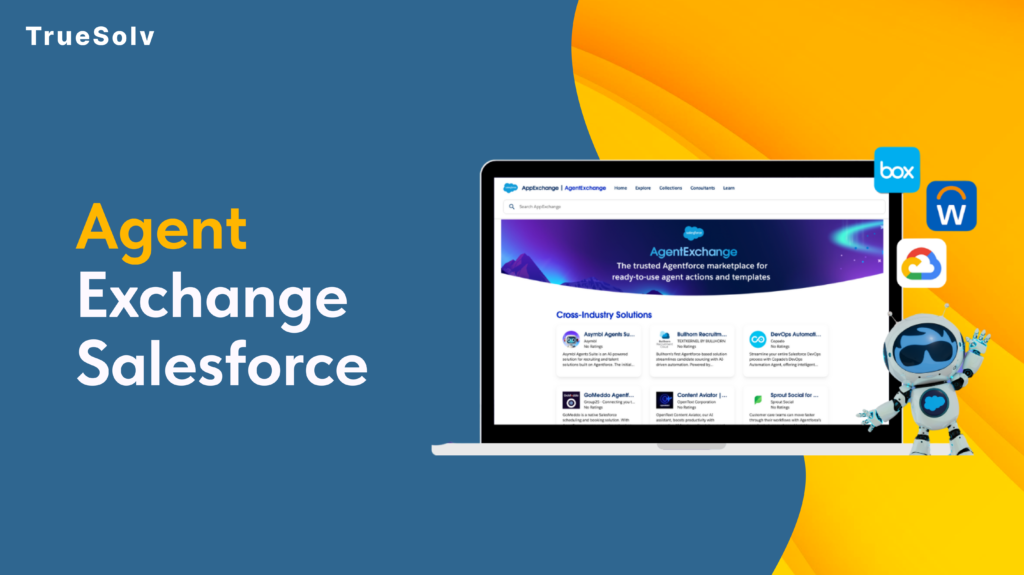
Salesforce has renamed things before. A lot. Data Cloud has had five names. Agentforce 360 had four. But AgentExchange, Salesforce’s most consequential rename yet is different. The AppExchange, launched in 2006, the marketplace that nearly 90 percent of Salesforce customers used to extend the platform, just became AgentExchange. Launched with a $50M Builders Fund and 13,000 apps, agents, and MCP servers under one roof. The community has thoughts. AppExchange to AgentExchange — Twenty Years 06 2006 AppExchange launches — first enterprise app marketplace Launch 12 2012 1,000 apps milestone 18 2018 AppExchange integrates Slack apps after acquisition 24 2024 Agentforce launches — first AI agent listings appear 26 2026 AgentExchange — unified catalog, AI search, $50M fund Now What actually changed The rename is not purely cosmetic. Three previously separate catalogs, the AppExchange, the Slack Marketplace, and the Agentforce ecosystem, are now unified into a single AI-searchable marketplace. That means 10,000 Salesforce apps, 2,600 Slack apps, and over 1,000 agents and MCP servers from partners including Google, DocuSign, and Notion now live in one place. Discovery works differently. Instead of keyword browsing through categories, users describe what they need and AgentExchange surfaces the right solution. One-click activation replaces the previous multi-step install process. For admins who have spent time navigating package installation wizards, that reduction in friction is material. The $50M Builders Fund is the other concrete change. It provides investment, engineering support, and go-to-market backing for ISVs and partners building in the new ecosystem, not a fund you apply to generically, but structured support tied to building agents and MCP integrations for AgentExchange distribution. The case for why it is more than a rebrand The community frustration with Salesforce naming is understandable and largely justified. When a product gets four names in three years, each rename starts looking like a marketing exercise rather than a product decision. This one is different for a specific reason: the marketplace structure changed, not just the name. AppExchange was an app catalog optimised for keyword search and category browsing. AgentExchange is designed from the ground up for AI-guided discovery. Those are different products with different underlying assumptions about how users find and evaluate solutions. Moreover, the consolidation of Salesforce apps, Slack apps, and AI agents into a single catalog reflects a genuine product reality: the Salesforce platform in 2026 includes all three, and separating them into different marketplaces created friction for customers who needed solutions that span all three surfaces. Putting them in one place with AI-guided discovery is a coherent response to how the platform actually works now. Partner data from the announcement makes the economic case more concrete. DocuSign processed over 200 private offers in Q4 2025 with 60 percent faster time to signature after listing on the unified marketplace. Notion cut its average sales cycle from four months to three weeks. These are not typical launch testimonials — they are specific metrics tied to the marketplace distribution model. What the community is actually saying The Reddit r/Salesforce thread opened with ‘Why?’ and the SF Ben community spent a productive afternoon debating whether CTO Nicolas Vuilamy was right that the company would eventually just rename itself Agentforce. One Salesforce coach wrote: ‘It is all a clear sign that the future is not human for Salesforce.’ The tone ranged from resigned to genuinely unsettled. The underlying concern is reasonable. When every product gets an ‘Agentforce’ prefix and every marketplace becomes an ‘Exchange’, it starts to feel like the platform is being rebuilt around a bet on AI that has not yet fully proven itself in the field. That is a fair read. The counter is also fair: the bets Salesforce made on CRM in 2006 and on the cloud in 2010 looked aggressive at the time and turned out to be correct. The question is whether the AI agent bet is in the same category. What this means by role 13,000+ Solutions total Salesforce apps, Slack apps, agents, and MCP servers unified in AgentExchange at launch $50M Builders Fund Investment, engineering support, and go-to-market backing for ISVs building agents and MCP servers 300% YoY growth Growth in Slack AI agent listings since January 2026 — the fastest-growing category in the marketplace Role What actually changed for you What to do now Admin Unified catalog means one place to find solutions across Salesforce, Slack, and Agentforce. AI-guided discovery replaces keyword browsing. One-click activation replaces multi-step install wizards. Explore Browse AgentExchange for solutions you previously searched AppExchange for — new categories and unified search may surface options you did not know existed. Developer 1,000+ agents and MCP servers are now listed alongside traditional apps. These are structured integration tools AI coding agents can call directly — a new category of extension beyond installed packages. Evaluate Review available MCP servers relevant to your integration stack. The agent/MCP category will expand rapidly; early familiarity pays off. ISV / Partner The $50M Builders Fund and AI-guided distribution represent a genuine go-to-market shift. Marketplace discoverability now depends on AI-optimised listing quality, not just keyword-based search ranking. Act now Review AgentExchange listing criteria. Evaluate what an agent or MCP server submission would require for your product. The window to list early in an AI-native marketplace is open now. Decision Maker The rename signals Salesforce’s long-term direction: agents as the primary unit of value. The practical marketplace capabilities are similar to AppExchange for current purchasing decisions. The strategic signal is clear. Watch Track which vendor partners are building agents and MCP integrations. The ecosystem is reshaping around agent-based extensions — understanding the map now informs technology roadmap decisions later. Building on Salesforce and thinking about what AgentExchange means for your product or integration strategy? Reach out at truesolv.com — we work with the Salesforce ecosystem daily. Follow us on LinkedIn for more Salesforce news with less jargon.