Time Tracking Salesforce App for Teams Who Bill by the Hour
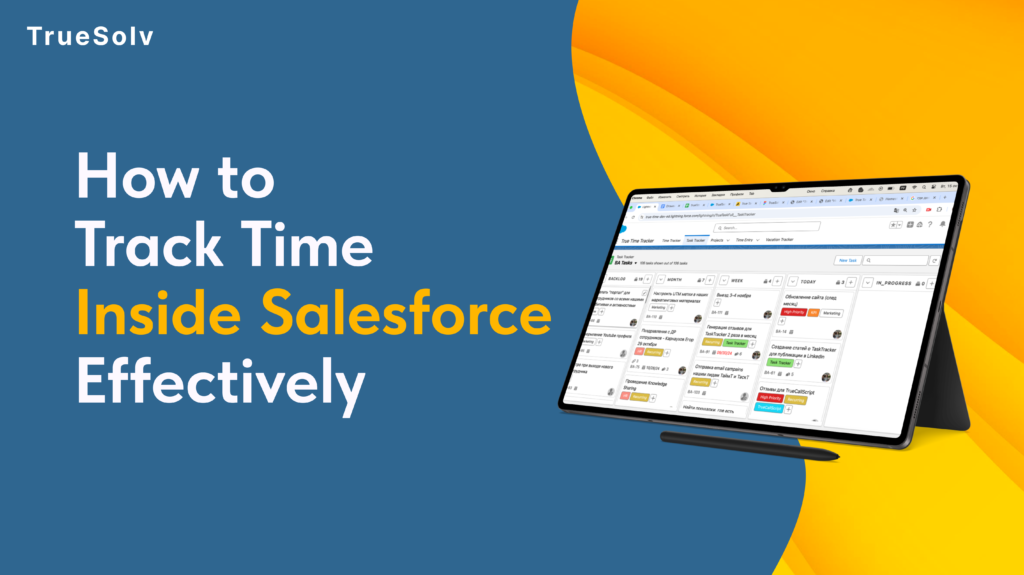
The plan is in Salesforce. The reports are in Salesforce. The hours still don’t add up. A time tracking Salesforce app closes that gap by logging hours straight against the project, client, or case record the team already works from, so nothing gets guessed at the end of the week or copied over from another tool later. OUTSIDE SALESFORCE Spreadsheet Sticky note Guesswork True Time Tracker SALESFORCE Project & task hours Client hours & billing Vacation & holidays Every hour logged once, right where the record already lives. Three disconnected tools — one clean Salesforce record. Three tools that never agreed on the same number Most teams don’t actually lack a time tracking system. They have three or four of them, and none talk to Salesforce. A shared spreadsheet nobody fully trusts. A sticky note on someone’s monitor. A message that says “put me down for six hours on the Meridian account” sent from memory two days after the work happened. Every one of these lives outside the CRM, which means every hour logged there has already drifted from what actually happened. That drift moves in one direction, and it’s the wrong one. A project lead pulls a report from Salesforce expecting it to reflect reality and finds hours that were rounded up, rounded down, or simply estimated. Staffing decisions get made off numbers nobody fully believes, and the next project gets resourced on a picture of the last one that was never quite accurate to start with. How True Time Tracker works True Time Tracker removes the extra tool from that equation entirely. Hours get logged on tasks, projects, and clients directly inside Salesforce, right next to the records they describe, with no second login and no end-of-week reconstruction. What comes with it ⏱Hours logged straight against the task, project, or client record — no separate system to check, no copy-paste at the end of the week 📁Project and client details managed in one place, so nothing gets duplicated elsewhere and the report you pull on Friday matches the hours logged on Monday 📅Vacation and holiday days tracked alongside billable time, for a full picture of team capacity — not just who worked, but who was actually available 🔗Jira and GitLab activity connected in, so development work doesn’t need to be logged twice — it comes in from the tool where it was already recorded What this looks like in practice Picture a five-person consulting team billing three clients a week. Without a native tool, hours sit in a spreadsheet until Friday, get typed into Salesforce from memory, and rarely match the invoice a client eventually questions. With True Time Tracker, every hour is logged the moment the work happens, tied to the right client record, and ready for a report that same afternoon instead of the following Monday. The hours were always real. Now the record of them is too. Book a walkthrough of True Time Tracker through our contact form, and follow TrueSolv on LinkedIn and Instagram for more Salesforce tools built around how services teams actually work. SalesforceTrue Time TrackerTime TrackingSalesforce ToolsCRM Automation Share: LinkedIn Twitter / X Copy link In this article 01Three tools that never agreed 02How True Time Tracker works 03What this looks like in practice Hours still guessed at end of week? True Time Tracker logs hours straight against the Salesforce record the moment work happens. Book a walkthrough → What’s included ⏱Hours against tasks, projects, clients 📁Project & client in one place 📅Vacation + billable time together 🔗Jira & GitLab connected in About the Author DS Daria SavelievaSalesforce Consultant & Content Lead at TrueSolv
Salesforce Time Tracking Sales
A sales manager can tell you the quota number for every rep on their team. Ask them how many hours per week those reps spend on actual selling versus admin work, meetings, and CRM updates — and the answer is usually a guess. The gap between what managers think their team is doing and what they are actually doing is where revenue goes quietly missing. True Time Tracker closes that gap, inside Salesforce, without a new tool, a new login, or a new workflow. Actual selling: 27% Typical B2B Sales Rep Time Split Actual selling activity27% Admin work and CRM updates28% Internal meetings19% Non-selling email and comms17% Other (travel, training, etc.)9% Source: Salesforce “State of Sales” research benchmarks. Your team’s split may vary — that is exactly the point. Why this gap exists at the 20 to 50-person stage At 10 people, a sales manager knows what every rep is doing because they are next to them. At 20 to 50 people, that changes. Reps are distributed, partially remote, or simply moving fast enough that day-to-day time patterns are invisible to leadership. Most sales tools track outcomes — deal value, close rate, pipeline stage. None of them track inputs in a way that is actionable. Pipeline reports tell you what happened. Time data tells you why it happened and what is likely to happen next. Without time visibility, the only lever a manager has when results are underperforming is to ask the rep what they think the problem is. That is a useful conversation but not a reliable diagnostic. Three decisions that become better with actual time data Account coverage Time allocation visibility lets managers see the full picture: a rep spending 14 hours a week on three legacy accounts — accounts that are renewing at stable rates and require minimal active management — while high-potential accounts get two hours each. The result shows up in pipeline three months later, not in this week’s activity log. With time data in Salesforce, the conversation changes from “why are these deals not progressing” to “let us look at where the time is going and redistribute it deliberately.” That is a more productive conversation with a more actionable outcome. Coaching conversations Most coaching conversations in sales are about results: close rate, pipeline coverage, deal velocity. These are lagging indicators. They tell you what already happened. Time patterns are leading indicators. A rep spending 60 percent of their selling time on proposals and zero time on prospecting will have an empty pipeline in six weeks. A rep who has not had a discovery call with a new prospect in 14 days is building the same problem. Time data surfaces these patterns before the pipeline report does. Headcount decisions Before hiring the next sales rep, most companies look at pipeline coverage and close rates. The more direct question is: how are current reps actually spending their time, and where are they constrained? If reps are spending three hours a day on admin that could be automated or systematised, the capacity problem is not a headcount problem. If they are spending all available hours on active selling and the pipeline still cannot grow, it is. Time data makes the distinction visible before a hiring decision is made. Decision Without time visibility With True Time Tracker Account coverage Manager asks rep why deals are not progressing. The real issue — hours disproportionately allocated to low-ARR accounts — is invisible. Manager sees actual time per account vs ARR per account. Reallocation conversation is data-driven: “You spent 14 hours on these three accounts. Here is what the time looks like vs revenue potential.” Rep coaching Coaching is based on close rate, pipeline coverage, deal velocity — lagging indicators. Manager reacts to what already happened. Coaching is based on time patterns — leading indicators. Rep spending 60% of time on proposals and 0% on prospecting will have an empty pipeline in 6 weeks. Manager can see and address this now. Capacity planning Headcount decision based on pipeline coverage and close rates. Team looks busy. Manager hires another rep. Productivity problem continues. Time data shows reps spending 3 hours/day on admin that could be systematised. Bottleneck is process, not people. Automation before hiring saves the cost of a rep. Pipeline forecasting Manager estimates based on rep self-reporting. Forecast accuracy is moderate at best and degrades as the quarter progresses. Time patterns on high-value accounts are a leading indicator of deal velocity. Time data improves forecast input quality before the pipeline report catches up. How True Time Tracker works inside Salesforce True Time Tracker logs time natively inside Salesforce, against the records that time relates to: Opportunities, Accounts, Activities, or custom objects. Reps log time in the same interface they use to update deals. Managers see time data in dashboards alongside pipeline data, without switching tools. The most common objection to time tracking is rep resistance — a perception that it is surveillance rather than a management tool. True Time Tracker addresses this by making the data visible to the rep as well as the manager. Reps can see their own time patterns, which is often the most effective way to surface inefficiencies that they were not aware of. Three questions True Time Tracker answers that your pipeline report cannot Pipeline reports track results. Time data tracks what produces them. 1Are my reps spending time on the right accounts?Time per account vs ARR per account reveals coverage misalignment immediately. High-potential accounts receiving low time allocation show up clearly — weeks before the missed deal shows up in pipeline.Pipeline report answer: “Here are the deals and their stages.” — Not useful for spotting coverage problems. 2What is actually taking up my reps’ selling time?If a rep’s capacity is constrained, the question is whether it is constrained by selling activity or by admin and meetings. Time data gives you that breakdown. The intervention is different depending on the answer.Pipeline report answer: “The rep has 12 open opportunities.” — Does not tell you why
Your reps are not losing quota without Salesforce Time Tracking

Time disappears into meetings, emails, and CRM updates that nobody tracks