I want to share with you several ready to use JS functions to working with cookies from Lightning, both Aura Component and Web Components.
createCookie function gives an ability to create a cookie with a particular name, value, and time to live.
function createCookie(name, value, days) {
    var expires;
    if (days) {
        const date = new Date();
        date.setTime(date.getTime() + (days * 24 * 60 * 60 * 1000));
        expires = "; expires=" + date.toGMTString();
    }
    else {
        expires = "";
    }
    document.cookie = name + "=" + escape(value) + expires + "; path=/";
}
setCookie function gives an ability to create a cookie with a particular name, value without expiration time.
function setCookies(name, value) {
    this.createCookie(name, value, null);
}
clearCookie function gives an ability to clear the cookie value by its name
function clearCookies(name) {
    this.createCookie(name, '', null);
}
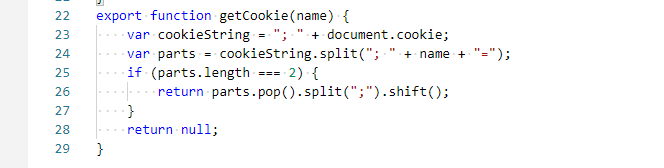
getCookie function gives an ability to get the cookie value by its name
function getCookie(name) {
    var cookieString = "; " + document.cookie;
    var parts = cookieString.split("; " + name + "=");
    if (parts.length === 2) {
        return parts.pop().split(";").shift();
    }
    return null;
}
If you have any questions about this topic, contact us.