True AI Assistant: AI analysis of your Salesforce data
True AI Assistant is a Salesforce app that lets your team analyse records, record lists and reports with the AI model of your choice: ChatGPT, Gemini, Mistral or models on Hugging Face. Ask a question in plain language, add files for context, and get a summary, insights or a table right inside Salesforce.
Why use AI inside Salesforce instead of exporting data to a chat tool?
Because exporting is slow and bypasses Salesforce permissions. To summarise an account, compare a list of opportunities or explain a report, people export to Excel or paste data into a chat tool. That loses context and sends data around outside Salesforce access rules. True AI Assistant runs the same analysis inside Salesforce, on data the user is already allowed to see.
| Capability | Export and paste into an AI chat | True AI Assistant |
|---|---|---|
| Where analysis happens | Outside Salesforce | On the record or in the app |
| Data in the request | Copied by hand | Selected objects, fields, filters or a report |
| Related records | Collected manually | Added from the Related Records block |
| Respects Salesforce access | Depends on who exports | Only data the user can view |
| AI provider and model | One tool | ChatGPT, Gemini, Mistral or Hugging Face |
| Repeating the same analysis | Rewrite the prompt | Saved templates and default templates |
| Files as context | Separate upload | TXT, CSV, PDF and images with OCR |
True AI Assistant features: AI analysis for Salesforce records, lists and reports
Record analysis
Add Record AI Assistant to any Lightning record page to summarise a record, review key details and get insights, including data from related records.
Record list analysis
Pick an object, filter records with AND / OR logic, choose fields, and let AI find patterns, compare values and summarise results.
Report analysis
Select an existing Salesforce report and get a summary of its data, key metrics and what they mean for the business.
Files and attachments
Upload TXT, CSV, PDF or image files as extra context. Text in PDFs and images is extracted with Mistral OCR or OCR Space.
Request history
Reuse the last five requests as context. A compressor AI shortens long history to save tokens without losing data.
Prompts and templates
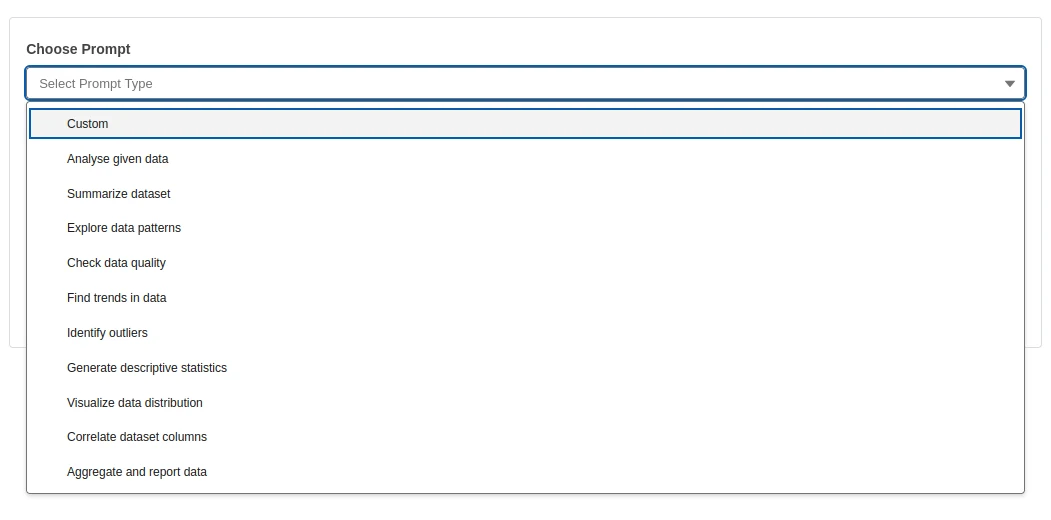
Choose predefined prompts or write your own, set the response format, and save the whole request as a reusable template.
See True AI Assistant in Salesforce
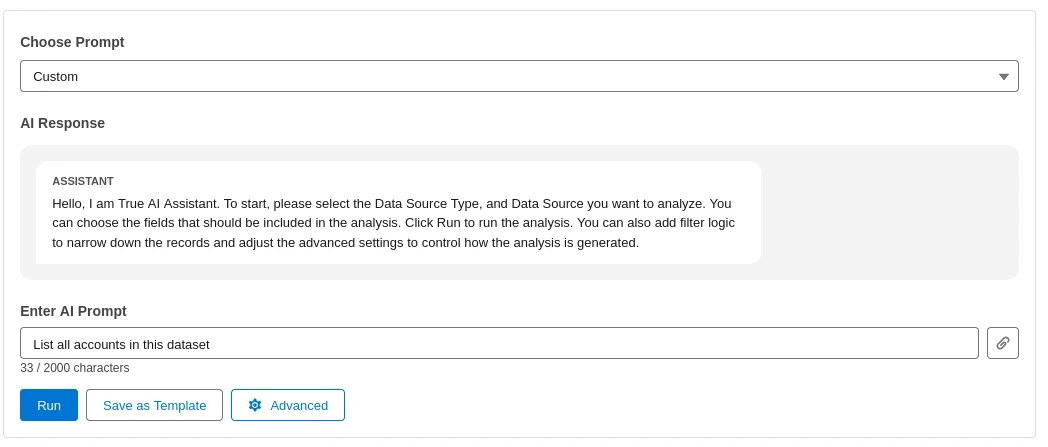
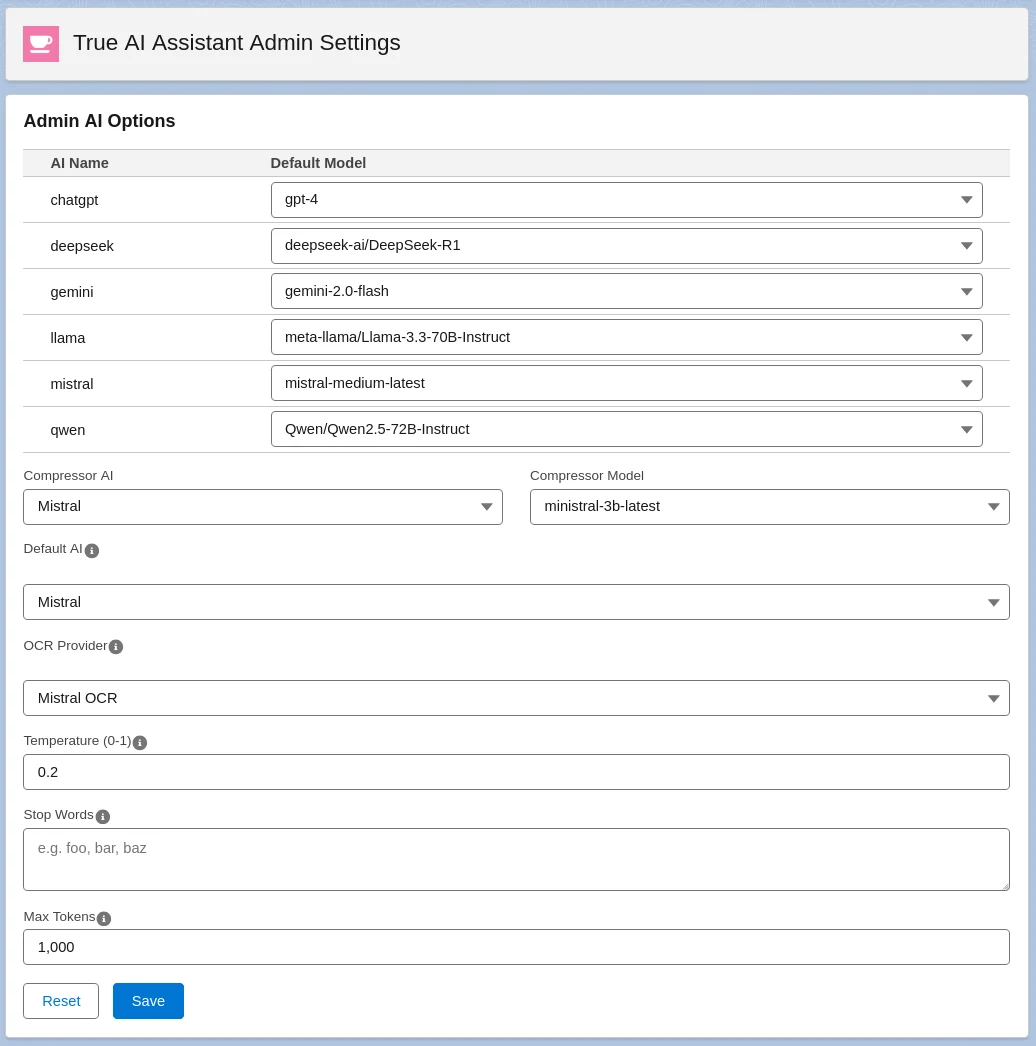
The AI Assistant prompt and the admin settings, as they look in Salesforce.
Three ways teams use True AI Assistant
Sales, service and operations teams use it to bring ChatGPT, Gemini or Mistral into Salesforce when they need an answer from their data now, not after an export.
Account and deal reviews
Open an account, add related cases or opportunities, and get a summary of the relationship, risks and next steps before a meeting.
Pipeline and service analysis
Filter opportunities or cases, choose the fields that matter, and ask AI to find trends, outliers and patterns across the list.
Making sense of reports
Run AI on an existing Salesforce report to highlight key metrics and explain results for people who do not live in dashboards.
How to set up True AI Assistant
-
Install and assign access
Install the package and assign the True AI Assistant permission set to the users who need it.
-
Add your AI keys
Get API keys from the providers you use, paste them in True AI Assistant API Keys and run Check connection.
-
Choose defaults and start
Pick default models, compressor AI and OCR provider in Admin Settings, and add Record AI Assistant to record pages.
True AI Assistant setup guide
A step-by-step guide for your Salesforce admin: permission sets, placing the component on record pages, getting API keys for each provider, admin settings, both work modes, templates and troubleshooting.
Questions about True AI Assistant
What is True AI Assistant?
True AI Assistant is a Salesforce app by TrueSolv that lets users analyse Salesforce records, filtered record lists and reports with AI. It works on record pages and as a standalone app, supports several AI providers, and accepts files as additional context.
Which AI providers does it support?
ChatGPT (OpenAI), Google Gemini, Mistral and models available through Hugging Face. You choose the default model for each provider in Admin Settings, and users can pick the provider for each request.
Do we need our own API keys?
Yes. You connect your own API keys from each provider you want to use. Some providers, such as OpenAI, require purchased credits for API usage.
Which data does the AI see?
Only the data included in the request: the selected record or object, chosen fields and filters, a report, related records and uploaded files. The AI can analyse only data the current user is allowed to view in Salesforce.
What is the difference between Record and Common AI Assistant?
Record AI Assistant sits on a Lightning record page and analyses that record and its related records. Common AI Assistant is a standalone page where you choose an object with filters, or a report, as the data source.
Can it read PDF files and images?
Yes, when an OCR provider is configured. The app supports Mistral OCR and OCR Space. PDFs and images must contain text to be used as context.
Can we control costs and token usage?
Yes. Admin Settings include max tokens per request, temperature and stop words, and a compressor AI that shortens long request history before it is sent.
Can True AI Assistant be customised?
Yes. Our team can add prompts, objects or providers, or build a custom AI agent for your process. Book a free call to discuss it.
Related Salesforce AI services
Agentforce implementation
Plan and launch Salesforce Agentforce agents with a certified team.
Agentforce implementation →AI agent development
Custom AI agents for Salesforce, built around your data and processes.
AI agent development →Field history and AI readiness
Why a complete change log matters before AI starts working with your records.
Read the article →We build Salesforce apps for our own AppExchange listings, and for clients
The team behind True AI Assistant has 15+ years of Salesforce experience and 150+ delivered projects. If an off-the-shelf app does not fit your process, we can extend this one or build a new one.
- Custom Apex, Lightning Web Components and Flow
- AppExchange packaging and security review
- Integrations with your existing systems
Questions about True AI Assistant?
Get the setup guide, or book a 30-minute call and our team will help you choose providers and set up AI analysis for your org.